Restaurant account banaye
Owner account banaye, restaurant add kare aur EasyKOT signup ke pehle steps complete kare.
Step-by-step guide padhe →Video transcript padhe →
Set EasyKOT up in three passes: get the EasyKOT Desktop App or the phone billing, connect the printer that prints the bill, then add the kitchen printer and the waiters' phones. Most restaurants are printing a real GST bill within twenty minutes. Every step below is a page of its own.
Not set up yet? Try the Desktop App in your browser : the real app, your own made-up orders, nothing to install · ₹299/month
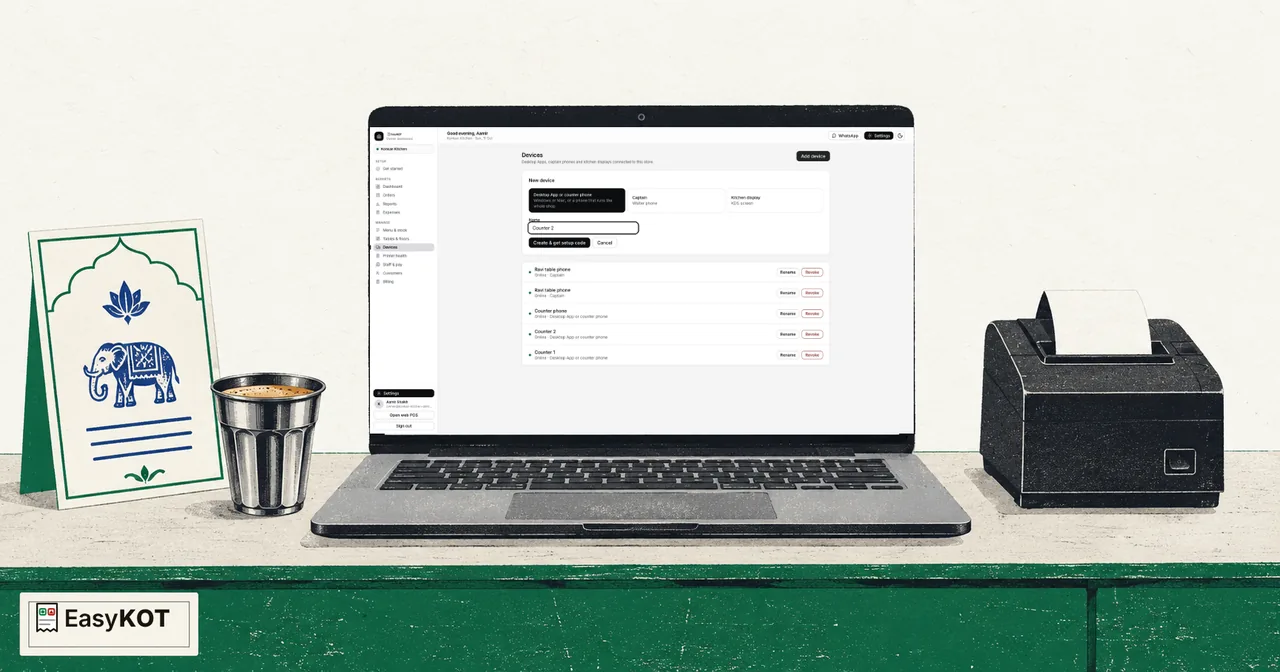
If you've just signed up, the order is: add your menu, choose your Desktop App PIN, install the Desktop App (or set up the phone), connect a printer, then ring one sale and watch the slip come out. The five signup-to-first-bill steps cover the account side; the guides below cover the hardware and the people.
Yeh recorded narration hai. Screen labels aur steps published video ke time ke hain.
EasyKOT par aapka account aur restaurant set up karte hain. Apna email aur WhatsApp number ready rakho. Owner admin panel ke liye app.easykot.com par jao. Signup form kholo. Yeh Create your store page hai. Pehle teen mahine free hain. Your name mein apna naam daalo. Restaurant name mein apne restaurant ka naam daalo. Is walkthrough mein hum Konkan Kitchen use kar rahe hain. Email mein apna email daalo. Baad mein sign in karne ke liye yahi email use hoga. Apni country select karo aur Mobile number daalo. WhatsApp wala number use karo, kyunki setup help aur videos isi par aayenge. Password set karo. Confirm password mein wahi password dobara daalo. Invite code mila hai toh yahan daalo. terms of service aur privacy policy padh lo. Agree karte ho toh yeh box tick karo. Browser check aaye toh usko complete hone do. Phir Create store par click karo. Store banne ke baad Get started khulega. Apna WhatsApp number check kar lo. Number galat hai toh Settings mein change kar sakte ho. Aapka account ready hai. Agle video mein menu add karenge. Pehle se store hai toh signup page par Sign in use karo.
Konkan Kitchen ka menu, menu ki photo se EasyKOT mein import karte hain. Owner admin ke liye app.easykot.com par jao aur sign in karo. Get started mein Add your menu dekho. Choose a file par click karo aur menu ki photo select karo. Clear photo use karo, taaki dish names aur prices aasani se check kar sako. EasyKOT menu padhkar draft banata hai. Review screen aane tak wait karo. Abhi kuch save nahin hua hai. Menu card se har dish, category, portion, price aur veg ya non-veg label check karo. Poori list scroll karke dekho. Portion wale dishes ke dono prices check karo. Chicken Biryani Half ₹180. Chicken Biryani Full ₹320. Paneer Butter Masala Half ₹160. Paneer Butter Masala Full ₹280. Kuch galat ho to import karne se pehle yahin correct karo. Missing ya galat price ke saath aage mat badho. Sab sahi ho to Import 15 dishes par click karo. Import result aane tak wait karo. Menu save ho gaya hai. Menu & stock kholo, phir All items mein check kar lo. Hamare 15 dishes yahan hain. Dishes update karna aur varieties add karna alag videos mein dekhenge.
Menu & stock kholo Khud se dish add karo STARTERS category select karo Kothimbir Vadi naam dalo Price nabbe rupaye rakho Add item select karo Dish menu list mein hai Name aur price save hain Ab Edit kholo Dish ko Veg mark karo STARTERS category confirm karo Description mein text likho Green chutney tak complete karo STARTERS, Veg aur ₹90 confirm Save select karke finish karo Kothimbir Vadi ready hai
Chicken Biryani kholo Portions tak scroll karo Half ₹180 · Full ₹320 Family naam dalo Add size select karo Family price ₹580 rakho Half, Full, Family order Ek size stop karo Family wapas on karo Save portions select karo Teen prices check karo Sizes poore menu mein Har portion dish review Butter Chicken: Family off Save portions select karo Baaki dishes repeat karo Half, Full unchanged rakho
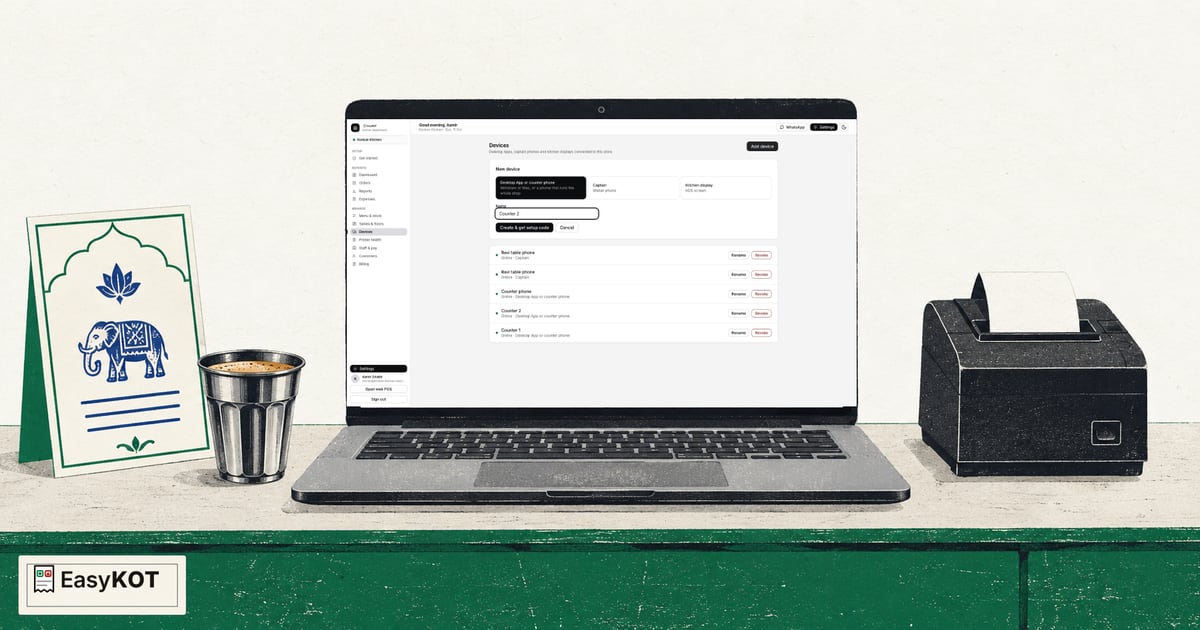
Owner dashboard में Get started खोलो। पाँच में से चार steps complete हैं, और Choose your PIN पर PIN set दिख रहा है। EasyKOT Desktop App के लिए EasyKOT dot com slash download खोलो। Windows पर Windows 10/11 और Download dot exe, या Mac पर Mac, Intel and Apple Silicon और Download dot dmg चुनो। Download के बाद अपने operating system के दिखाए first-open instructions follow करो, फिर installed Desktop App खोलो। यह video पहले से installed app के साथ आगे बढ़ता है। Owner dashboard पर वापस आकर left sidebar में Devices चुनो, फिर Add device select करो। Desktop App or counter phone चुनो, फिर Name में Counter 2 डालो। Create and get setup code select करो, फिर Copy code। यह code सिर्फ एक बार दिखता है, इसलिए code और QR private रखो। Fresh app Connect this Desktop App पर खुलता है। यहाँ I have a setup code और Owner sign-in दोनों हैं। इस बार setup-code tab इस्तेमाल करो। Copied value को Setup code में paste करो, फिर Connect Desktop App select करो। Connect Desktop App के बाद real app Enter your PIN to start your shift पर जाता है। इस screen तक पहुँचना बताता है कि setup code accept हो गया है। Enter your PIN to start your shift पर dashboard में saved owner PIN डालो, फिर Enter select करो। Counter 2 अब Konkan Kitchen से connected है, और real register सभी उन्नीस menu items के साथ ready है।
Android app पर Run the counter चुनो।
Sign in as the owner पर वही email और password use करो जो EasyKOT owner dashboard में use करते हो।
Sign in select करो। इससे owner का phone बिना setup QR या staff PIN के connect होता है।
Phone के connect होने, Konkan Kitchen menu और tables download होने, और counter खुलने तक wait करो।
Add your printer पर Not now — I will add one later चुनो।
Running tab में अब Konkan Kitchen के orders दिखते हैं। यह phone owner के तौर पर sign in है।
Device tab में connected store और owner की signed-in identity verify करो।
Printers बाद में Device tab से add या change कर सकते हो।
Owner dashboard में Staff & pay खोलो, फिर Add person select करो। Captain चुनो। यह role phone पर orders लेता है। Ravi Captain नाम डालो और चार से बारह digit का private PIN चुनो। Add and show PIN person को save करता है। नया PIN सिर्फ एक बार दिखता है, इसलिए इसे लिख लो और private रखो। इस demo के लिए Ravi का saved Captain profile ready है। अब Devices खोलो और Add device select करो। Staff identity और phone enrollment अलग हैं। Captain चुनो, नाम Ravi table phone रखो, और Create and get setup code select करो। One-use setup code copy करो। इससे handset connect होता है, लेकिन Ravi sign in नहीं होता। Android पर Take orders at the tables चुनो। Join your restaurant पर setup code paste करके Connect select करो। Konkan Kitchen download होने के बाद Set up later select करो, ताकि Ravi के orders counter पर print हों। Enter your PIN पर Ravi के staff PIN से sign in करो। Device खोलकर Ravi Captain और captain role verify करो। Devices में Ravi table phone connected और one-use code retired होना confirm करो।
Phone और Counter 1 को same Wi-Fi पर रखो। Multi-device में Host the hub और Captain app on रखो। Code for a phone select करो। दिखाया address note करो। Code पाँच मिनट में expire होता है। Phone पर Device खोलकर Sign out of this shift select करो। Restaurant connected रहता है; PIN screen वापस खुलती है। Optional: connect to the Desktop App over Wi-Fi, फिर Type the code instead select करो। नाम Captain 1 रखो। दिखाया address और phone code डालकर Connect this phone select करो। Connected में Konkan Kitchen और nineteen items दिखते हैं। Continue करके Ravi के staff PIN से sign in करो। Device अब Linked दिखाता है। Orders, Kay O Teas और bills Desktop App तक तुरंत पहुँचते हैं। Phone printing off है, इसलिए counter print करता है। Counter 1 पर Paired devices refresh करो। Captain 1 phone के रूप में दिखता है। Service के दौरान दोनों restaurant Wi-Fi पर रखो। EasyKOT Desktop App open और laptop awake रखो।
Counter 1 और Counter 2, दोनों पहले से एक ही Konkan Kitchen store से connected हैं। दोनों को restaurant के local Wi-Fi पर रखो। Counter 1 पर Settings, फिर Multi-device खोलो। Host the hub select करो। Service के दौरान यह laptop awake और EasyKOT running रहना चाहिए। यहाँ दिखाया address इस्तेमाल करो, फिर Code for a Desktop App select करो। यह single-use code पाँच मिनट में expire होता है। Counter 2 पर Multi-device खोलकर Join a hub select करो। Find hub चुनो, या Counter 1 पर दिखाया exact address डालो। Pairing code डालो, फिर Pair and save select करो। Paired. This Desktop App has its own hub credential दिखने दो। अब Counter 1 device list में इसे दिखाता है, और दोनों status bars live hub दिखाते हैं। अब Counter 2 पर चार सौ रुपये का real T2-001 order शुरू करो। हर laptop locally save करता है, इसलिए यह setup future internet problem में counter को चालू रखने के लिए designed है। इस recording में internet on रहता है। Local hub वही order Counter 1 की Orders list से share करता है। वहाँ वही order दिखने के बाद ही Counter 2 से Kay O Tea fire करो। Paired store में Counter 1 print server है। Kitchen printer वहीं configure करो, और service से पहले real Kay O Tea verify करो। Cloud sync हर laptop पर अलग चलता रहता है। Live sharing और printing के लिए Counter 1 running रखो। Counter 1 restart हो, तो नया code बनाकर Counter 2 को फिर pair करो।
Counter 1 पर owner के रूप में unlock करो, फिर Settings और Printers & KDS खोलो। USB cable connect और paper ready होने पर Detect printers select करो। Scan में RONGTA USB Receipt Printer मिलता है। इस store में printer profile पहले से saved है, इसलिए detected candidate select करके duplicate बनाने के बजाय Back जाओ। Existing printer row पर Edit select करो। इससे saved profile बना रहता है और उसका connection update होता है। Connection को USB set करो। अस्सी millimetre, बयालीस chars चुनो, और Kay O Teas और bills के लिए Role को Both set करो। Print test page select करो। Sent message सिर्फ command handoff confirm करता है। Real paper check करो। Test page clear हो, तो Yes select करो। Save printer select करो। Existing profile वापस Connected दिखता है। अब पाँच सौ तीस रुपये का real order बनाओ: एक Malvani Fish Curry Full, दो Tandoori Roti, और दो Solkadhi। Kay O Tea fire करके नए dishes kitchen को भेजो। Printed item names और quantities check करो। Matching bill print करो। यहाँ Order T1-001 का total पाँच सौ तीस रुपये है। Customer को bill देने से पहले total check करो।
12 minute ka poora walkthrough: account se actual USB printer ke KOT aur bill tak.
Poora setup video aur chapters dekhe →
Sirf jo kaam abhi karna hai woh chune. 10 setup lessons ke English aur Hindi videos hain. Purana Android aur Bluetooth walkthrough sirf English mein hai.
Owner account banaye, restaurant add kare aur EasyKOT signup ke pehle steps complete kare.
Step-by-step guide padhe →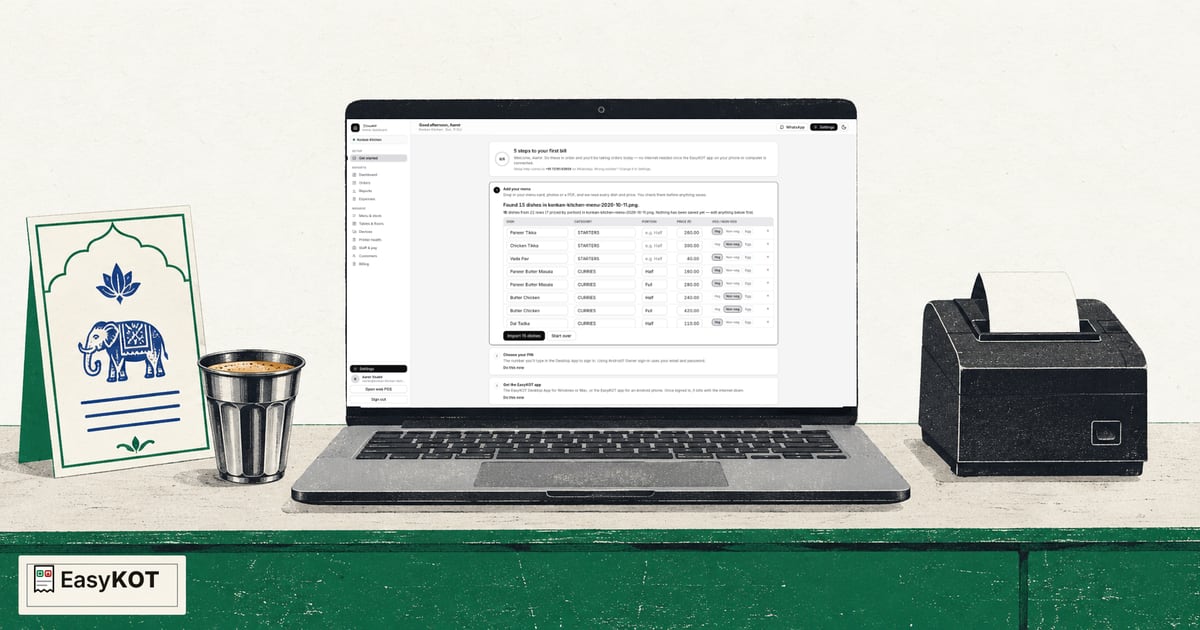
Menu image upload kare, EasyKOT ke padhe dishes review kare aur corrected menu import kare.
Step-by-step guide padhe →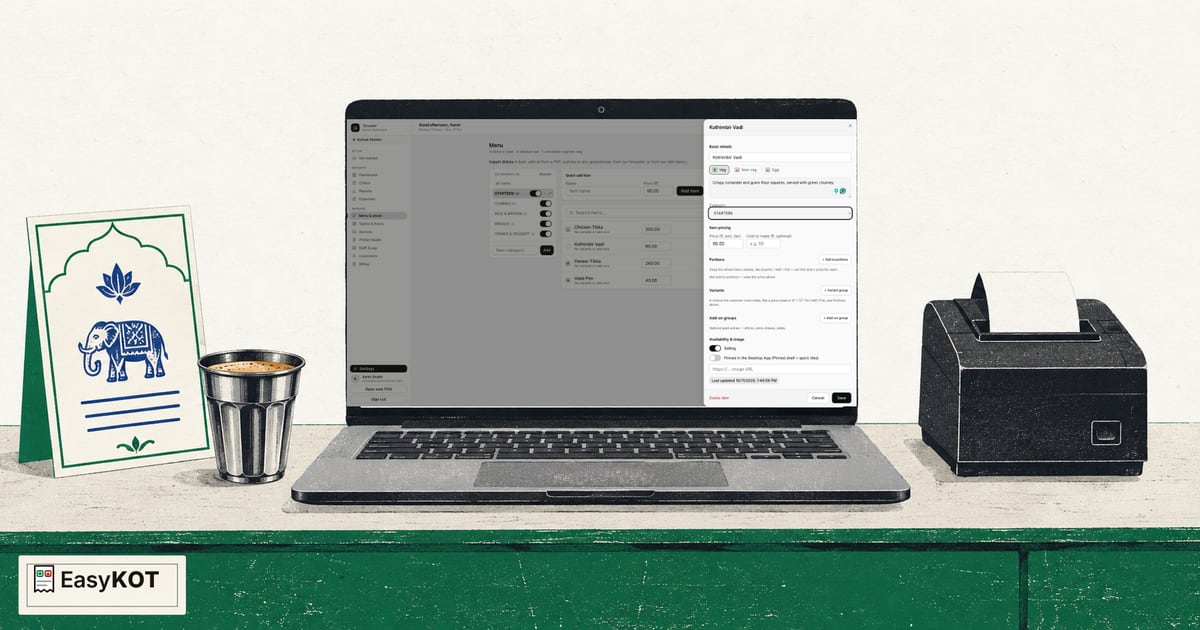
Category, price, food type aur GST setting ke saath ek dish manually add kare.
Step-by-step guide padhe →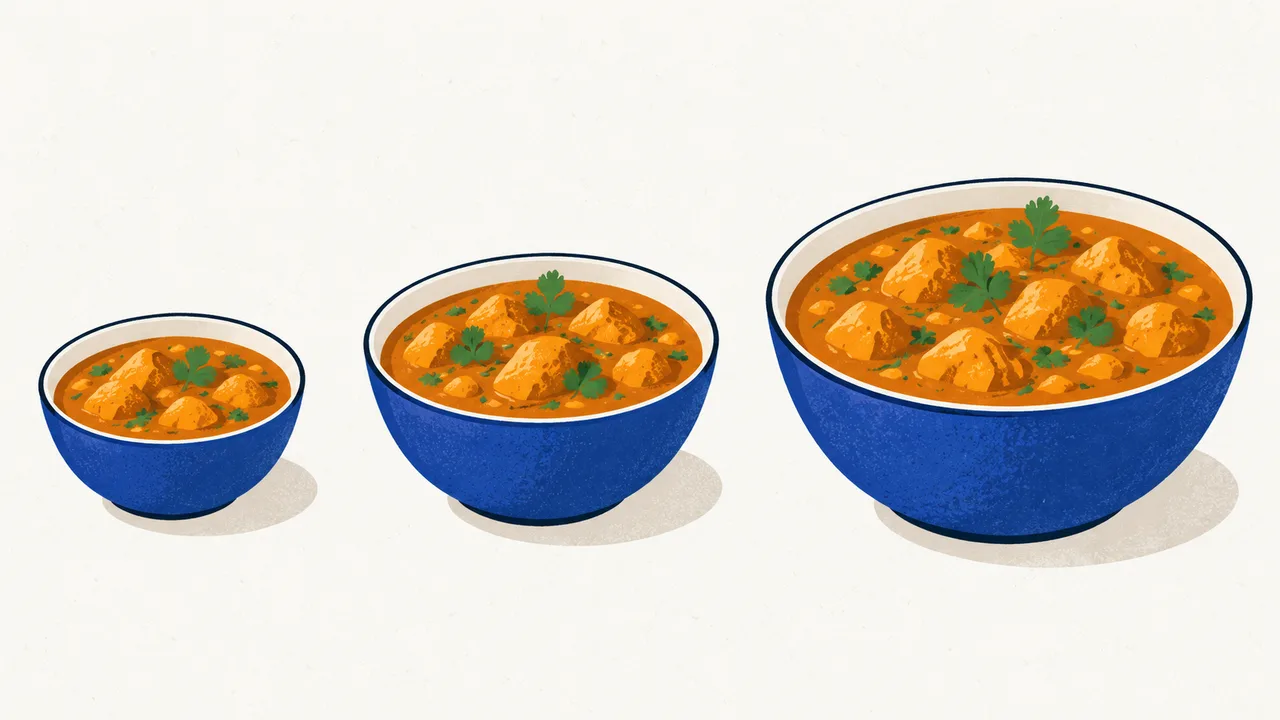
Ek dish ke Half, Full aur Family price set kare aur jo size nahi bechte use bandh kare.
Step-by-step guide padhe →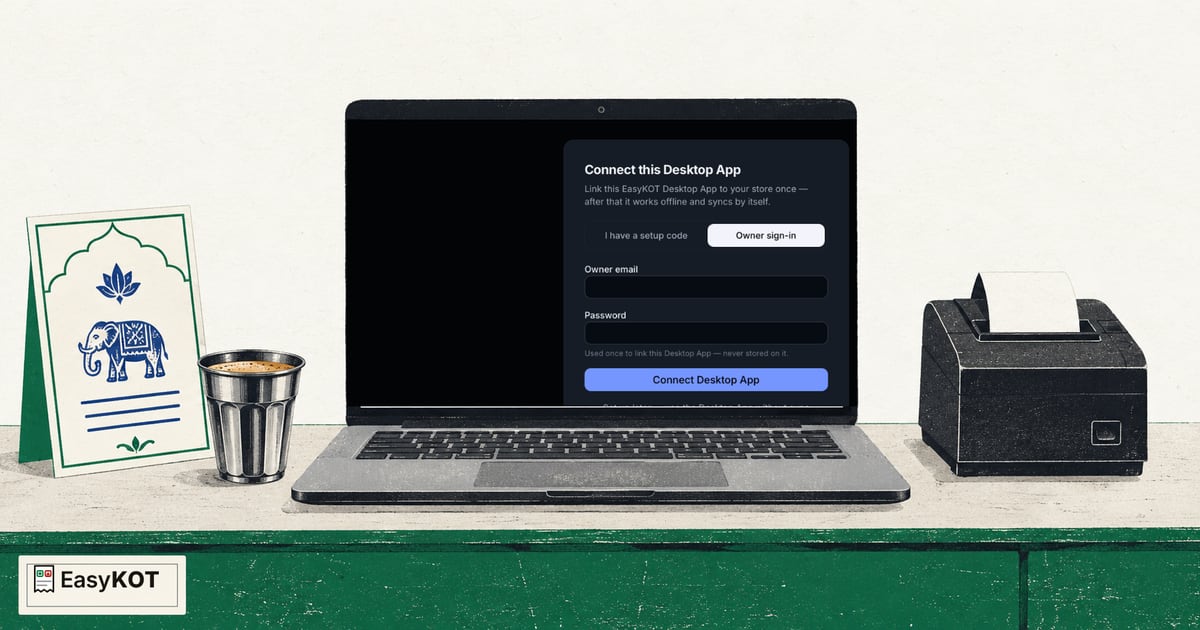
EasyKOT download kare, one-time setup code paste kare aur restaurant sync hua hai woh check kare.
Step-by-step guide padhe →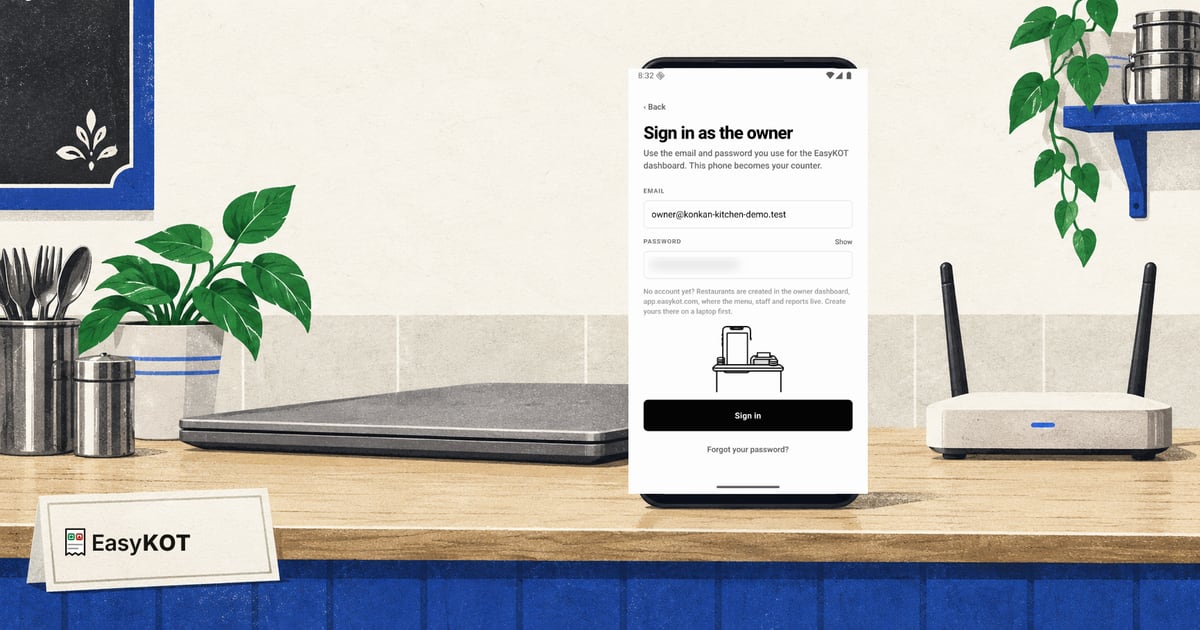
Run the counter chune, owner sign-in kare aur phone ko same restaurant se connect kare.
Step-by-step guide padhe →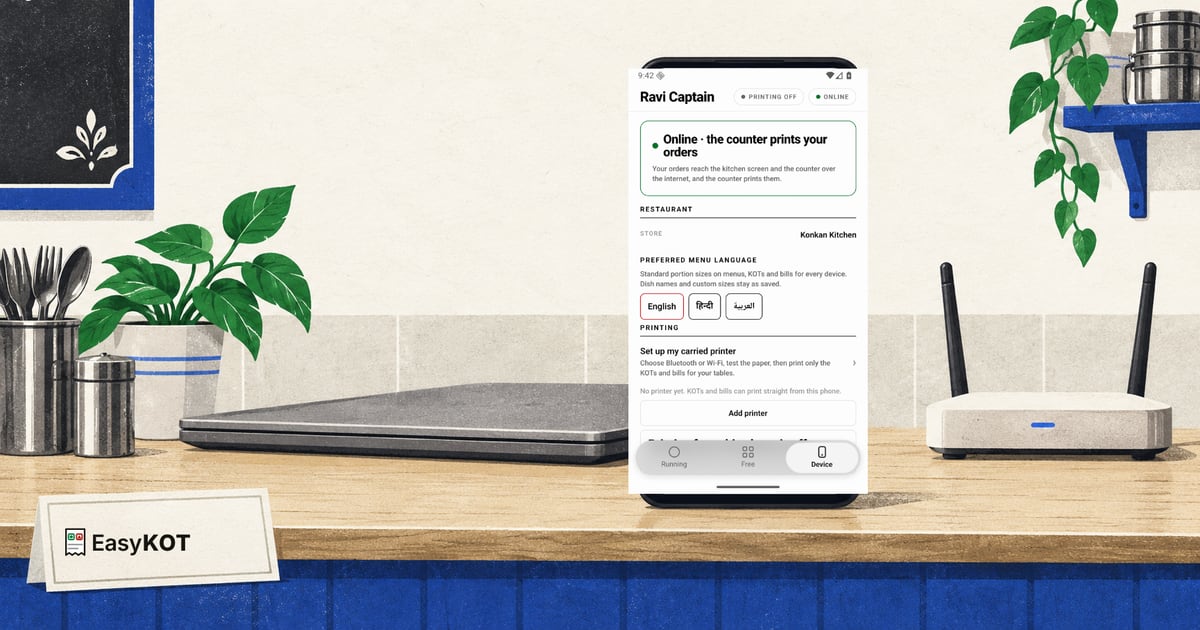
Staff & pay mein one-time phone code banaye aur usse Captain phone connect kare.
Step-by-step guide padhe →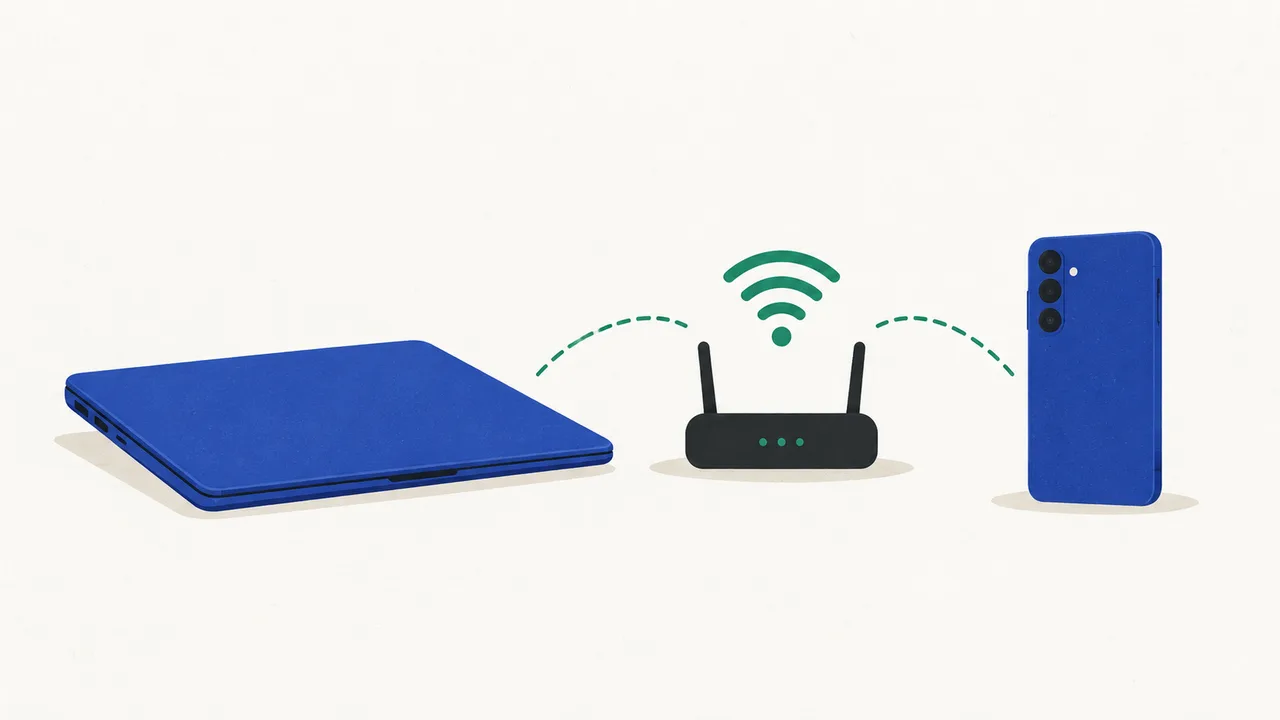
Desktop App par phone code banaye aur Captain phone ko restaurant Wi-Fi par connect kare.
Step-by-step guide padhe →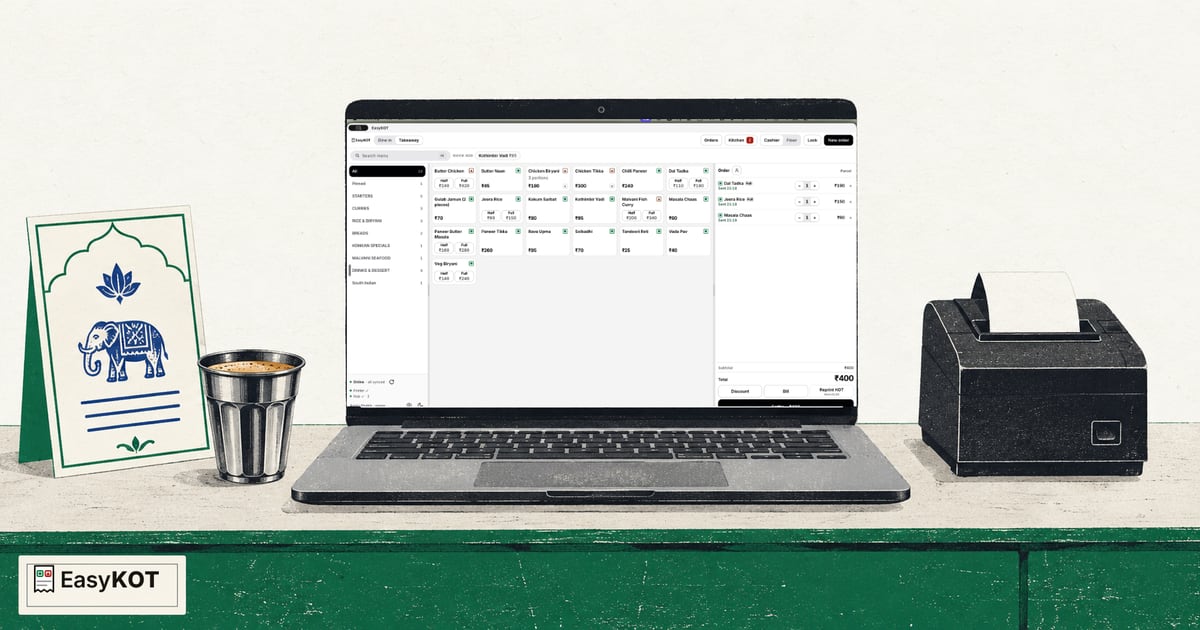
Local hub host kare, doosra Desktop App pair kare aur dono counters par same restaurant check kare.
Step-by-step guide padhe →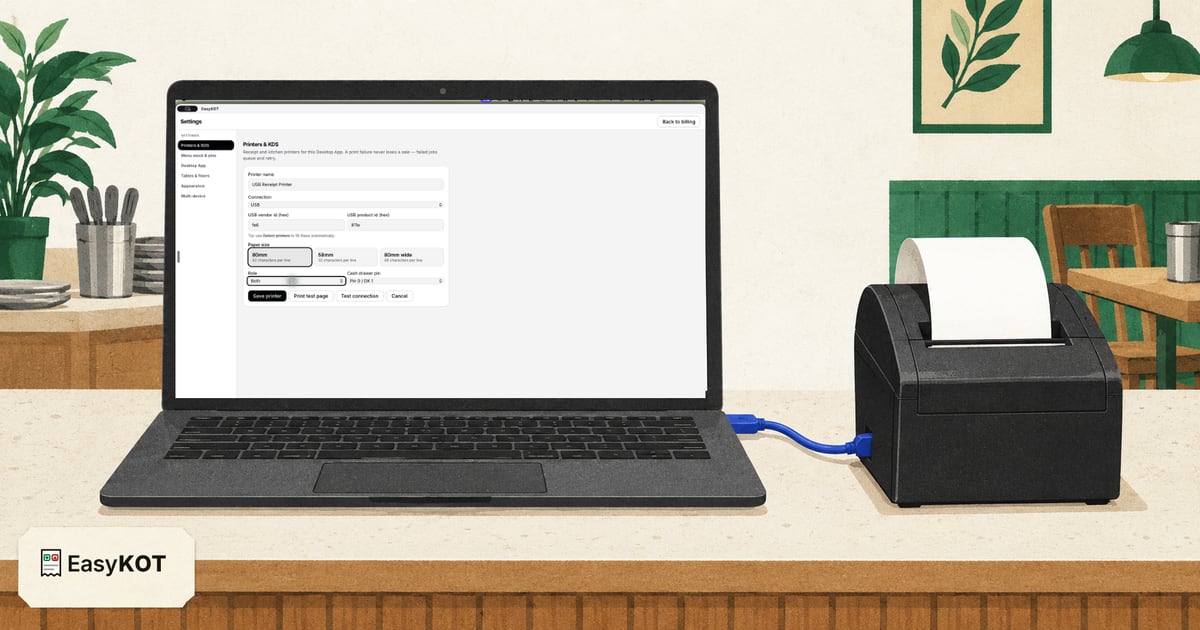
80 mm USB printer connect kare, test page nikale, phir ek order ka matching KOT aur bill print kare.
Step-by-step guide padhe →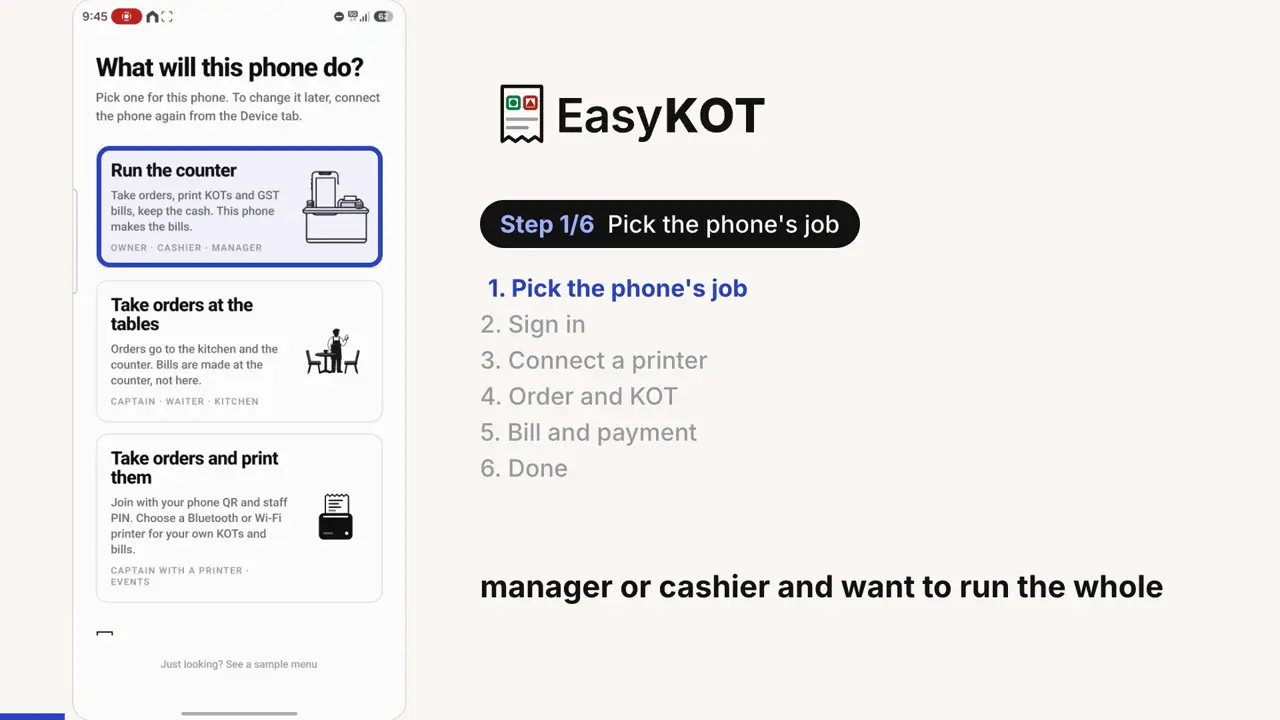
Set up EasyKOT on an Android phone: pick what the phone will do, sign in as the owner, pair a Bluetooth thermal printer, take a takeaway order, send KOTs and print the bill.
Connect a browser register, save its app files for offline use, and print through the system dialog. Check the browser's storage and printer limits before service.
Set up the browser register →Signup to first bill, every screen: Get started, choosing your Desktop App PIN, the Desktop App setup code, punching an order, and the report that proves it worked.
Walk through day one →Punch the order, fire the KOT, settle cash or UPI, print a bill carrying your GSTIN and the CGST/SGST split.
Print the first bill →Drop photos or a PDF of your menu, check the review grid, press import, then portions and add-ons.
Import the menu →No menu file? Type a dish and its price, then add the veg mark, Quarter, Half and Full prices, and extras.
Add the first dish →Draw your hall (round, square and rectangular tables where they really stand) and run service off the live floor.
Build the floor →What keeps working, what the screen says, where the bills go, and what happens the moment the line comes back.
See what survives an outage →The flows a counter runs fifty times a shift (settling with change math, parcels, the money keys that want a manager beside them) and the one-minute routine that ends the day clean.
Start a shift, record cash in and paid out, count the drawer and read the signed variance. Desktop and Android steps, with the differences made clear.
Open and close the cash shift →Type what the guest handed over: the Desktop App answers with the change to return, or records a short payment honestly.
See the settle flow →Quick percent keys, fired-dish voids with a signed reason, refunds you re-type to confirm: every press on the record.
See the money controls →One toggle makes the next check a parcel: no table, a TAKEAWAY ticket the kitchen packs, its own counter strip.
Bill a parcel →Tap the person icon, type a number or a name, and the bill prints who it was for. Find it again on the Orders list, fix a typo after settle.
Add a customer →Discard the mis-taps, say whether the money came in for the rest (a walkout is written off with a manager's PIN), and read the GST document register for gaps.
Close the day →Last night's tables still in the list: add the payment, keep the auto close, or write it off with a manager's PIN, with the effect on sales, totals and the cash box shown before anything is saved.
Answer the question →A PIN for every person, a role for every job, and manager approvals exactly where money leaks.
Set up staff →Six themes with live previews, dark mode on Shift+D, and four sizes that never shrink the buttons.
Make it yours →Every bill in Orders; sold facts in Reports by Item, Category or Variant, with an exact bill drill. On a phone too.
See your orders →A snapshot of the previous trading date prepared from 08:00 store time, with four report families behind it.
Read your numbers →The Sunday-night spreadsheet, built in: one period at a time, platform payouts and owner withdrawals typed in, and the cash carried forward to the next.
Do the week's hisaab →Your GSTIN and invoice identity, the trading-day start time that decides when today's numbers roll over, and which owner emails actually reach your inbox.
Open owner settings →A print failure never loses a sale: the settle is written first and the ticket queues and retries on its own for 5 minutes. Still stuck after that, it waits for a tap rather than trying forever. But paper is what the guest and the kitchen actually hold, so it's worth getting right on day one.
Set printer presets, larger dish names, separate bill and KOT layouts, and check a sample slip before saving.
Open the layout guide →Wi-Fi, USB or serial: let the Desktop App find it, or type the IP and port yourself. With screenshots of every field.
Connect the printer →Give one printer the bills and another the KOTs, and wire the drawer so it kicks on every settle.
Set up the kitchen printer →Pair a 58mm or 80mm Bluetooth thermal printer with a phone and print KOTs and bills, no laptop at all.
Pair the Bluetooth printer →Blank slips, garbled characters, a KOT the kitchen never got. Work through the checks in order. Your sale is already saved.
Fix the printer →Any billing software printing through Windows needs the maker's driver: the setup, the port, paper size, auto-cut and the drawer, with official download links.
Install the driver →Bill tiny, half-width or trailing blank paper from a web billing app, and Chrome's "check your printer and try again" error.
Fix browser printing →macOS refuses to open the Desktop App: a leftover process, a restart or one Terminal line, and the window on your other screen.
Open the Desktop App →Offline status, jobs stuck in the queue, a port that changed when the cable moved: clearing the spooler, in order.
Bring it back online →Each of these is titled with the exact words the Desktop App puts on the printer's row, so the page you land on is the page about your problem. The Desktop App links to them itself: when a printer row has a fault, “How to fix this” folds open with the same first step and the address of the full guide.
Clean, empty slips. The roll is in coated-side out: the scratch test settles it in two seconds.
Flip the roll →Something prints, but not your words. The paper width, the serial speed, and the emulation switch.
Fix the characters →Slips coming out joined: whether the model has a cutter at all, and how to clear a jammed one.
Fix the cutter →The router moved the printer's address overnight. The Desktop App hunts for it by hardware address first.
Chase the address →The healthy printer nobody can reach: AP isolation, guest Wi-Fi, or a second router in the shop.
Check the router →Two addresses that were never going to reach each other. Compare the first three groups.
Compare the networks →The cable that carries only power, the driver holding the port, and the Windows queue fallback.
Fix USB →The outgoing COM port Windows never made, and the phone that is still holding the printer.
Fix Bluetooth →A sleeping radio, a full buffer or a quiet paper-out, and what the print queue is telling you.
Fix the stall →An interrupted print the Desktop App refuses to retry blindly, and the DUPLICATE stamp on the copy.
Read about duplicates →The printer's own sensor says the roll is finished. Printing pauses; the tickets wait and then print themselves.
Reload the roll →A lid a millimetre open stops most printers silently. Close it within 5 minutes and the queue drains itself; any later and Print finishes the job.
Close the cover →Paper chips in the blade channel. Clear it with the printer off, then let it re-home on start-up.
Clear the cutter →Your printer answers no status questions. Nothing is wrong, every ticket is still sent, and the Desktop App says so.
Read the honest grey →A privacy prompt answered no, months ago, makes every printer look dead on a Mac. One switch fixes it.
Turn it back on →Both ride the same five-minute pairing: one Desktop App hosts a hub on your own Wi-Fi, and everything else (a kitchen screen, a second Desktop App, a waiter's phone) joins it with a code.
A spare laptop or tablet becomes the pass: pair it, lock it with a chef PIN, filter it to its station's dishes.
Set up the KDS →Choose Main register on one Desktop App, connect the next with a five-minute code: one floor, one kitchen, internet optional.
Add a Desktop App →One dashboard setting splits a fired round across the corners that cook it (the tandoor gets the kebabs, the bar gets the drinks), no second KOT number needed.
Split the kitchen →Waiters order at the table on their own phones and the KOT fires straight to the kitchen. What the app does is on the captain app page : these three are how you actually set it up and run it.
Two codes and a PIN put the order-taking app on a waiter's own phone. No per-waiter charge, ever.
Set up a waiter's phone →Table, dishes, portions, the 'less spicy' note, then fire, and the kitchen has it before the waiter walks away.
See the waiter's flow →Signup to the first takeaway bill on one phone: Run the counter, sign in, add the printer, open the cash box. Built for events and stalls.
Set up the phone →An Android phone can run the whole shop: open the shift, fire KOTs to a Bluetooth printer, settle, close the day.
See the phone-only day →What you need: A compatible Windows or Mac laptop, one compatible ESC/POS thermal printer
What you get: Billing, GST bills, KOTs on the same printer
KOTs can use the bill printer. Configure it and verify a test print before service; delivery still needs the printer's connection, paper and power.
What you need: One Android phone, one compatible Bluetooth or Wi-Fi thermal printer
What you get: Billing, GST bills and KOTs printed from the phone
Android 8 or newer; the iPhone build is not in the App Store yet. A separate enrolled Android device can run the chef screen. Without a Desktop App hub, fresh tickets between the phones need internet.
What you need: A laptop at the counter, waiters' own phones, a second printer or an old monitor in the kitchen
What you get: Table-side ordering, KOTs routed to the kitchen, bills at the counter
Paired phones can send orders through the Desktop App hub during an internet outage while that Desktop App stays powered on and the local Wi-Fi connection works.
Download the Desktop App for Windows and Mac · billing on an Android phone · everything EasyKOT does
Still stuck? Message us on WhatsApp: the button at the top of this page reaches the people who built it.
Restaurant ka kaam hum samajhte hain, kyunki shuruaat bhi wahin se hui. 3 mahine free try kare, bina card details. Hamari kahani padhe.