Your week's accounts — not a sheet, a page you close.
Most owners keep the real books in a spreadsheet: one tab a week, sales plus the platform payouts minus expenses, a balance carried from tab to tab, a line for what the partners took. Accounts is that sheet, built in, with the sales, staff pay and expenses already filled in, and the two numbers that matter kept apart: profit, and cash carried forward.
The Sunday-night routine, in four steps.
Start a period with the cash you have
Use Reports for an ordinary date range. Open Accounts when you want a named period to close and freeze. The first time, it asks when the period starts and how much cash the business has in hand. Every later period starts after the last and carries its closing cash forward. Periods default to a week; move an open period's end date if you count on a Tuesday this time.
Type the two things the Desktop App can't know
Sales, staff pay and every logged expense arrive on their own. Two things only you know: what Swiggy, Zomato or your local platform actually paid you this period (add them under Money in, one line per platform, on the day the money landed) and what the owners took out. A withdrawal, a profit share, a capital repayment or fresh capital is recorded under Taken out, optionally per partner. None of it is ever an expense, so your profit stays honest.
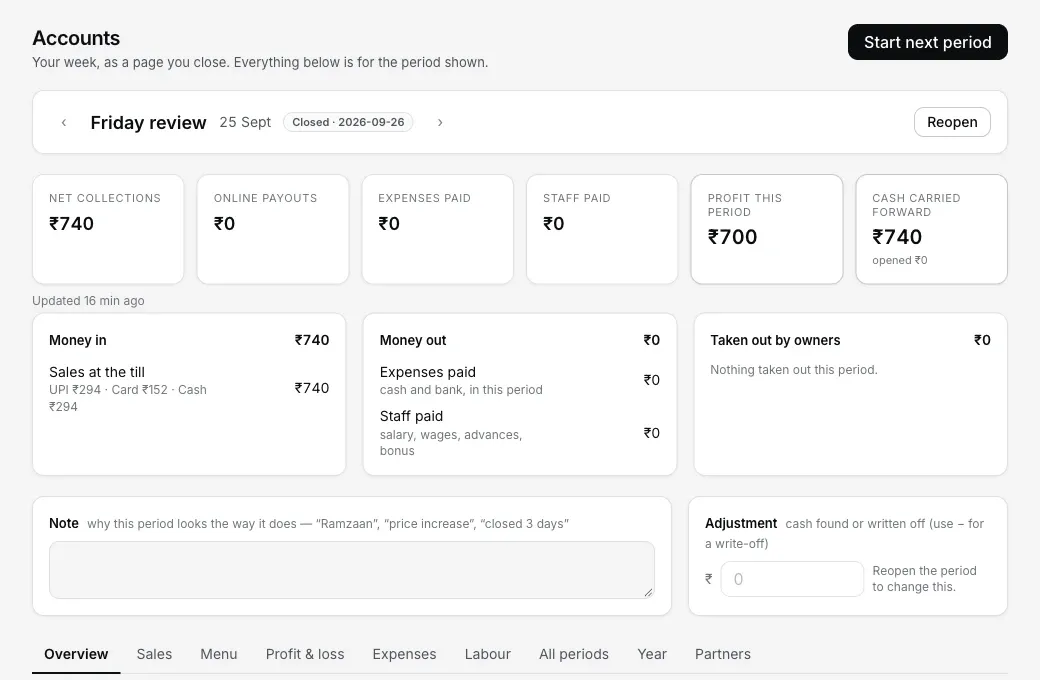
A closed Friday record: the saved Net collections, profit and ₹740 carried forward stay visible as the figures that were closed.
Read the six numbers, then close
Net collections, online payouts, expenses paid, staff paid, profit this period, and the one that matters most: cash carried forward, opened with and ended with. Net collections is the money captured in these dates minus refunds recorded in these dates, even when the bill closed on another day. Each number shows how it moved against the previous period, or against any period you name: compare Ramzan with last Ramzan, not with the week before. Write a note when the week needs one: "Ramzaan", "price increase", "closed 3 days". Then Close. The numbers freeze as the record, the next period opens with the carried-forward cash, and the same six lines go to everyone on the dashboard by email, or to your partner on WhatsApp with one tap.
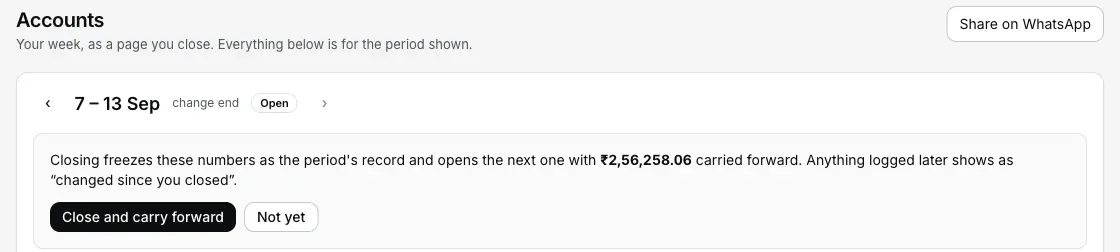
Step 3: Close names the carry-forward before it freezes anything.
Zoom out when you need to
A named period keeps its existing Summary, Sales, Menu, Profit & loss, Expenses and Labour tabs fixed to those dates. For day-to-day analysis, Reports keeps Sales & collections, Menu performance, Money & costs and Close & exceptions under one entry. All periods, Year and Partners remain your longer Accounts record.
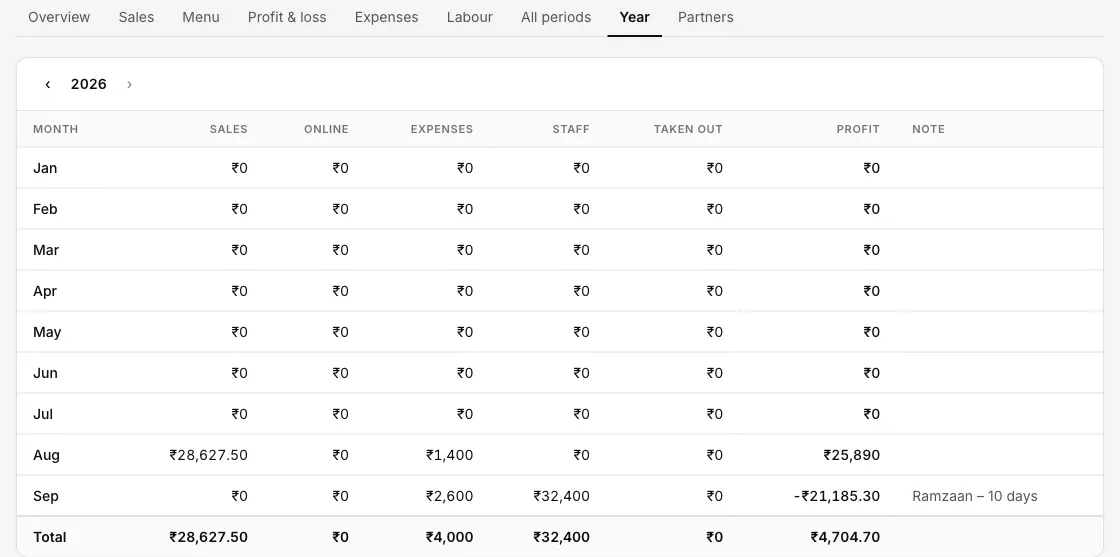
Step 4: the year, with the notes that explain the dips.
Your own words, your own platforms: dashboard → Settings → Accounts. Say how long a period usually is, switch online payouts on and name who pays you (Swiggy, Zomato, a local service) and rename any expense category to what you actually call it, pinning the daily ones so they come first.
Straight answers.
Profit and cash carried forward — why two numbers?
What counts as money out?
A bill turns up after I've closed the period — what happens?
When does a Swiggy or Zomato payout count?
Do I have to set up partners?
Where does the email go, and can I turn it off?
Where the numbers come from.
Reports & the morning email
The reports that now live inside each period, and the daily email that arrives before you open any of them.
Read your numbers →Staff & pay
Set each person's pay, give advances, and pay salary net of them: the staff line on every period.
Set up pay →Closing the day
Clean checks in, clean numbers out: the one-minute night routine the week is built from.
Close the day →Every guide in this cluster is listed on the guides hub.
Run it 3 months, then pay for it.
Three months free, full product, no card. Made in India, for the counter: built inside a running restaurant.