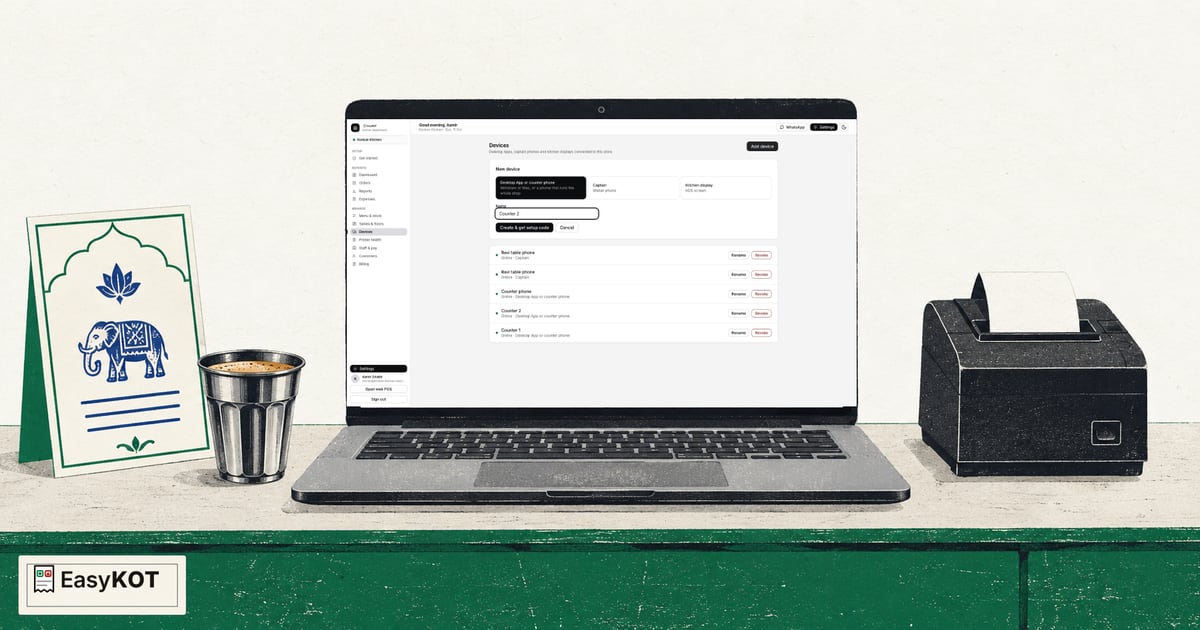
EasyKOT setup: account to an actual KOT and bill
Watch the full setup in order: account, menu, Desktop App, owner and Captain phones, another counter, USB printer, KOT and bill.
Read the step-by-step guide →Read the video transcript →
Make bills at the counter, take orders on a waiter's phone and send KOTs to the kitchen. Start on the laptop you own. No laptop? Use an Android phone and a compatible thermal printer as your counter. Try billing in the browser demo, no signup or install.
₹299 + GST per month after the trial₹0 for 3 months, no card or AutoPay neededCompatible ESC/POS printerLaptop or Android phoneSee cancellation and refund terms
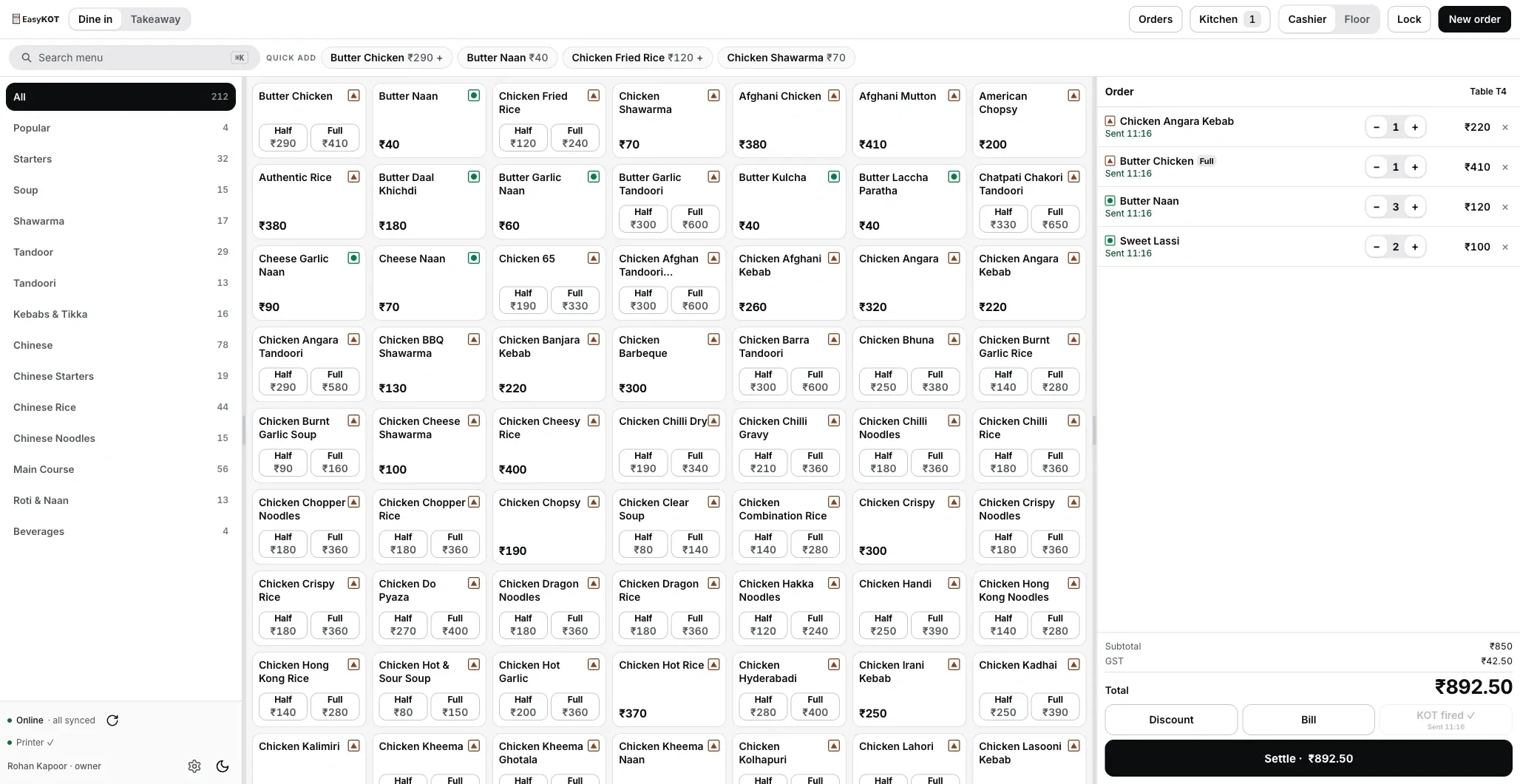
Open Mezbaan's sample menu in your browser. Make a test order, send a KOT and record a payment to see the bill. Once the demo loads, practise offline too. No real payment is collected.
2 minutesTry offline after it loadsDemo data stays in this browser
At ₹299/month or ₹2,990/year, plus 18% GST, one outlet's Desktop Apps, Captain phones, kitchen screens and reports are included, with no separate charge per Desktop App or per order. Explore every feature in depth →
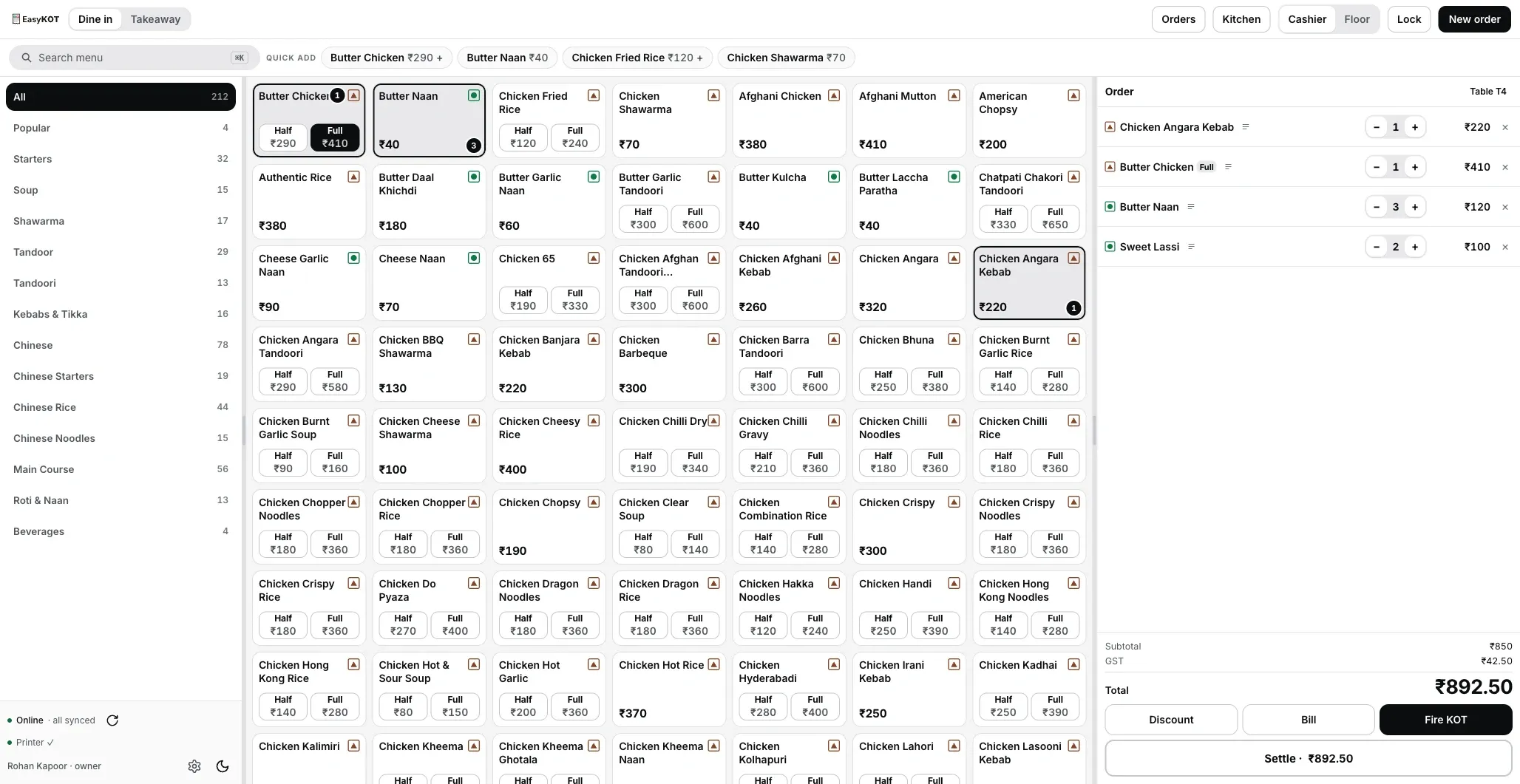
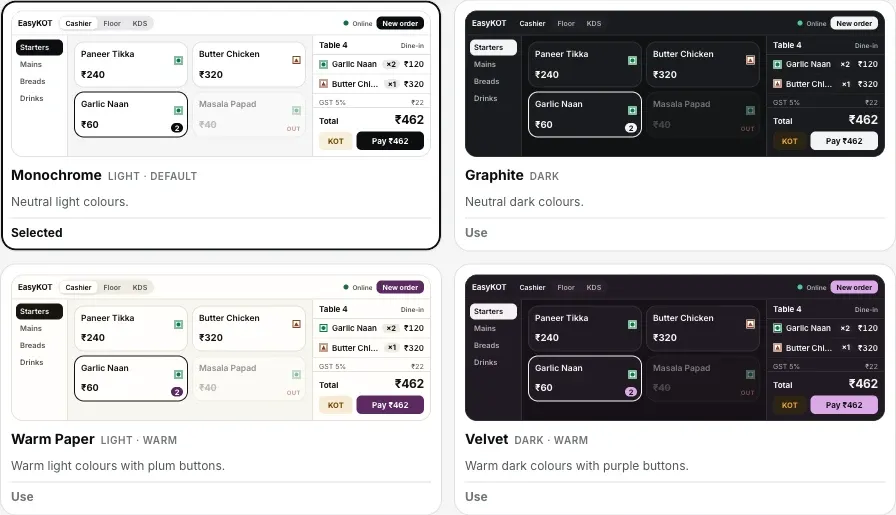
Categories, menu and cart on one screen, with search, quick-add, Half/Full portions, notes such as "less spicy" or "Jain", tables and takeaway.
IncludedSend a KOT and check delivery status. A configured printer produces the slip when its connection is available; a paired kitchen screen shows the ticket when it is online. Add later rounds separately. Tell the kitchen before reprinting because a KOT does not carry the bill's DUPLICATE stamp.
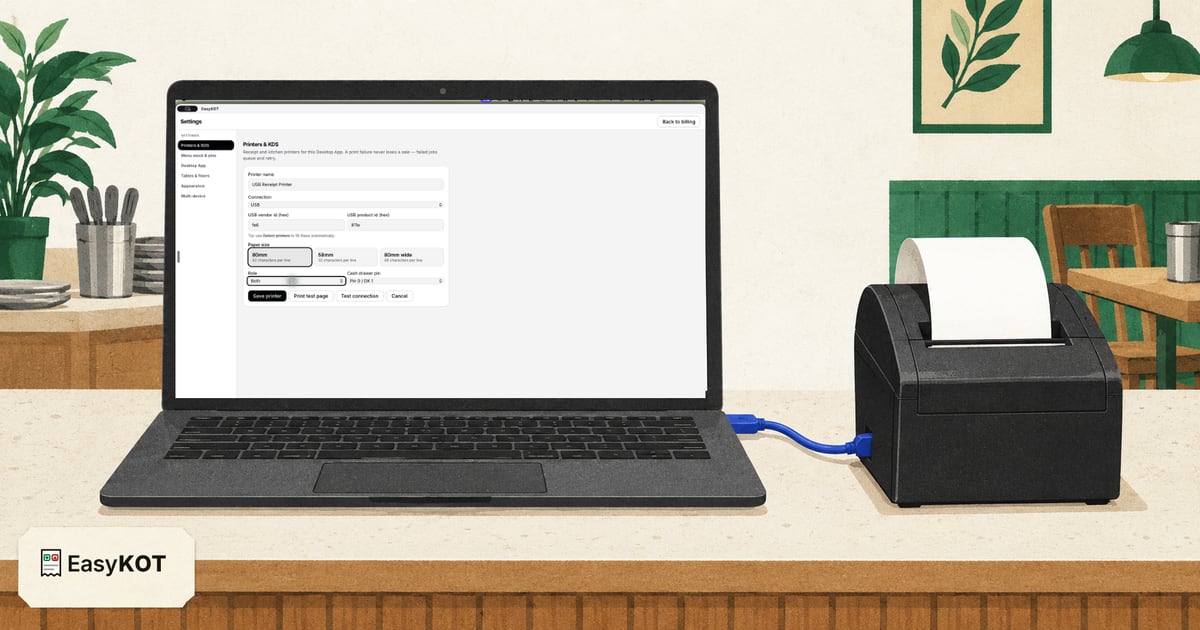
IncludedConfigure a network, USB, serial or Bluetooth path supported by your model and device. A failed print retries for five minutes, then waits for Retry now or Discard. A possibly printed job is parked: inspect the printer and choose It printed or Print again (marked duplicate). A bill copy carries DUPLICATE; a KOT remains the same kitchen ticket, so tell the kitchen. The sale remains saved.
IncludedPrint bills using your configured business details and GST settings, with invoice numbers and tax breakdowns. Review a sample bill with your accountant before using it for live sales.
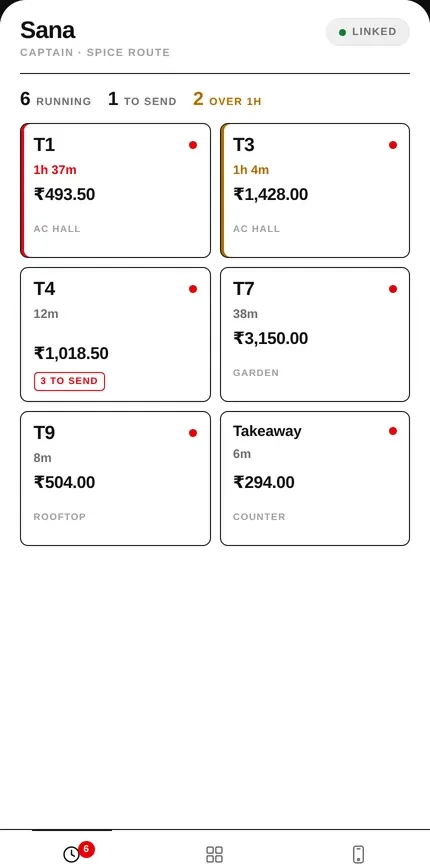
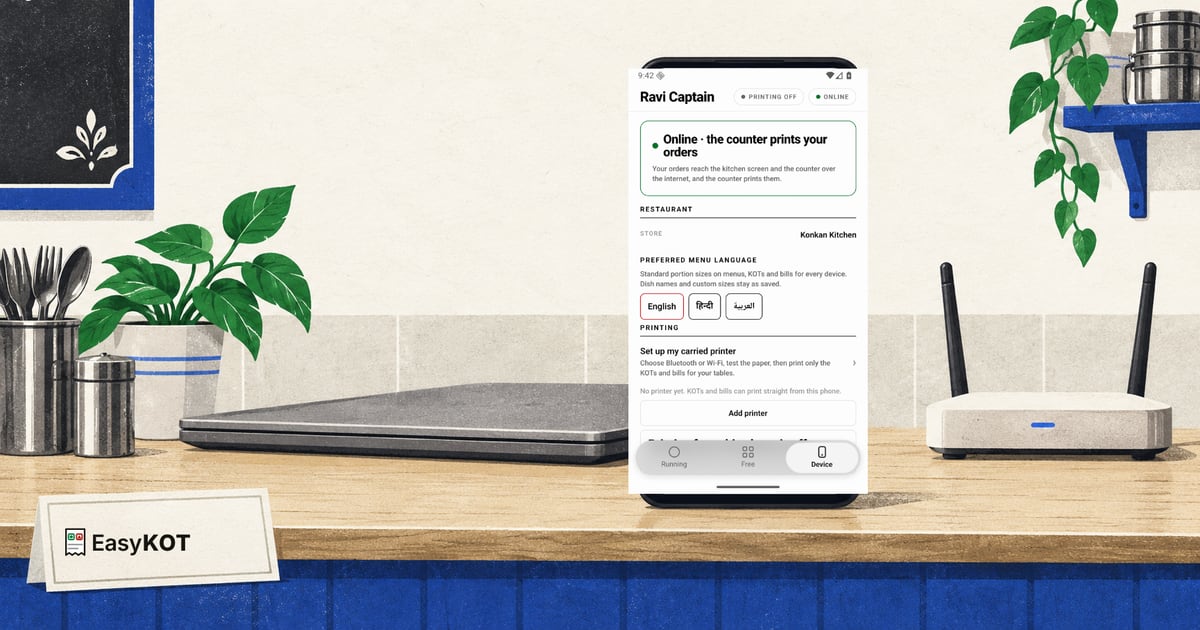
IncludedWaiters can take table orders, send KOTs and see running tables. Printing routes through the counter by default. A manager can make a joined phone the whole-store fallback with a tested printer, and a captain who carries a printer can print the KOTs and bills for their own tables.
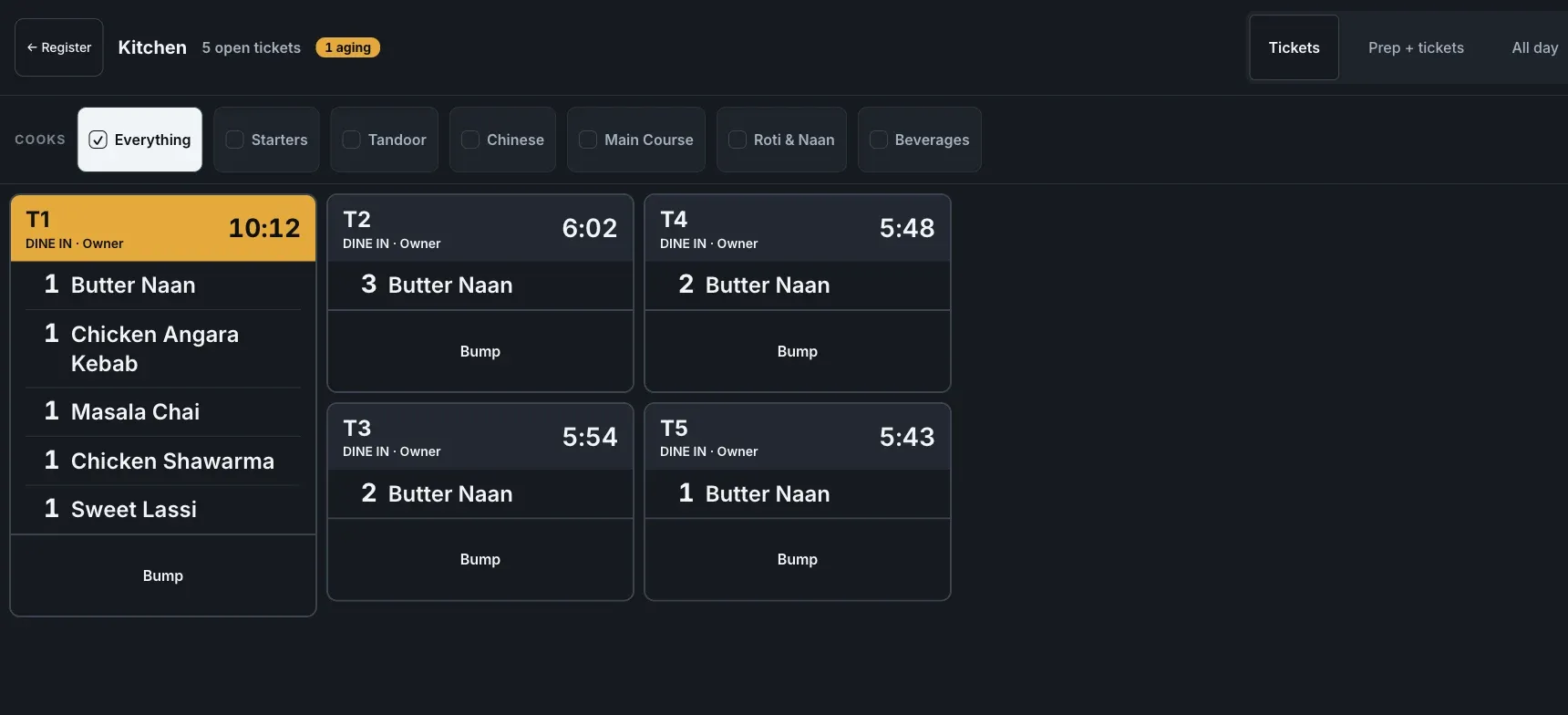
IncludedRun the desktop kitchen station on a monitor, or use Chef view on a paired Android device. Both require configuration and pairing, with the router/LAN and devices powered. Tickets can keep moving on the local network without internet.
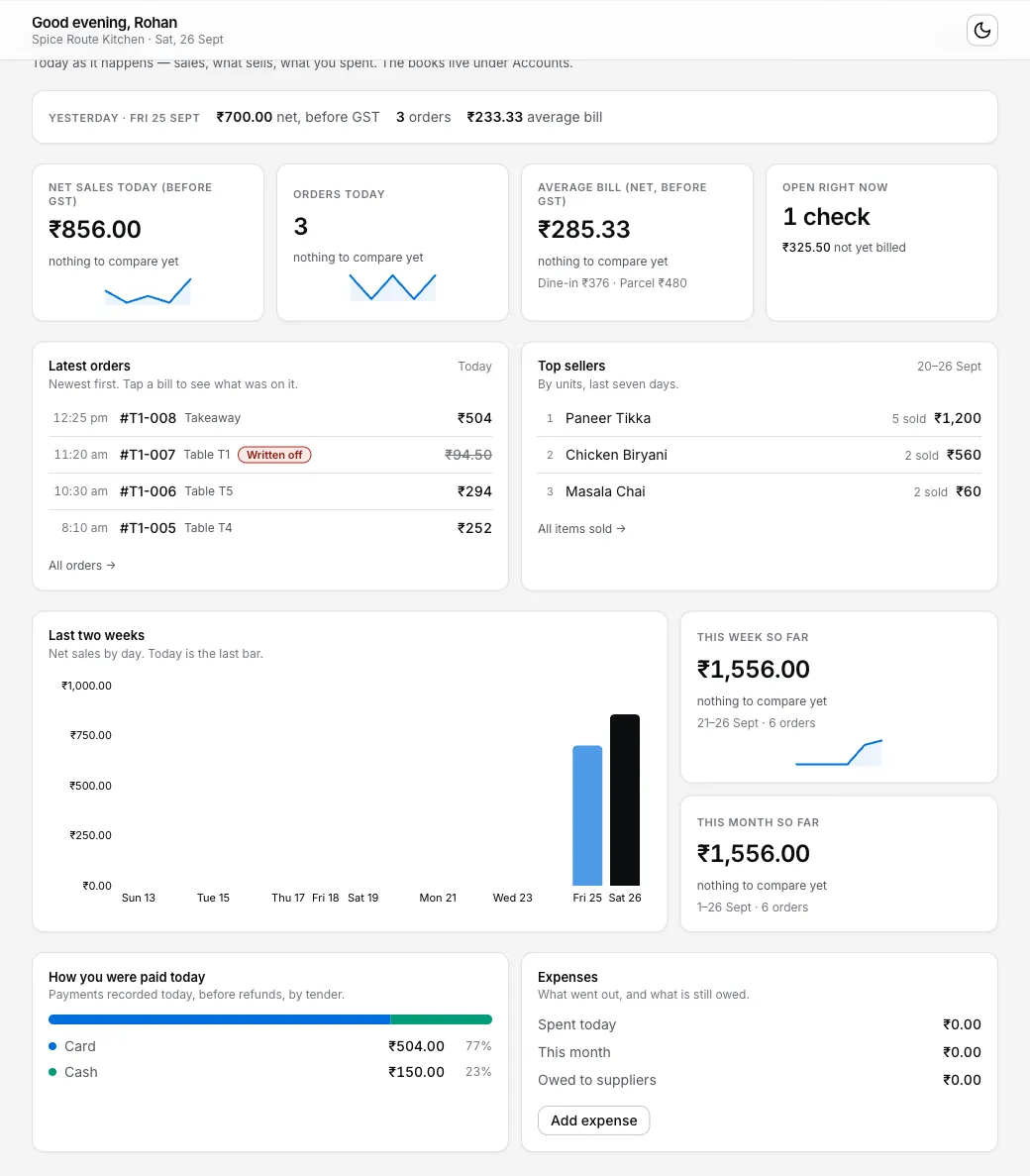
IncludedSee yesterday's net sales, today's orders and average bill, open checks, recent orders, top sellers, payment mix and expenses. Detailed reports cover P&L, labour, menu performance and close history.
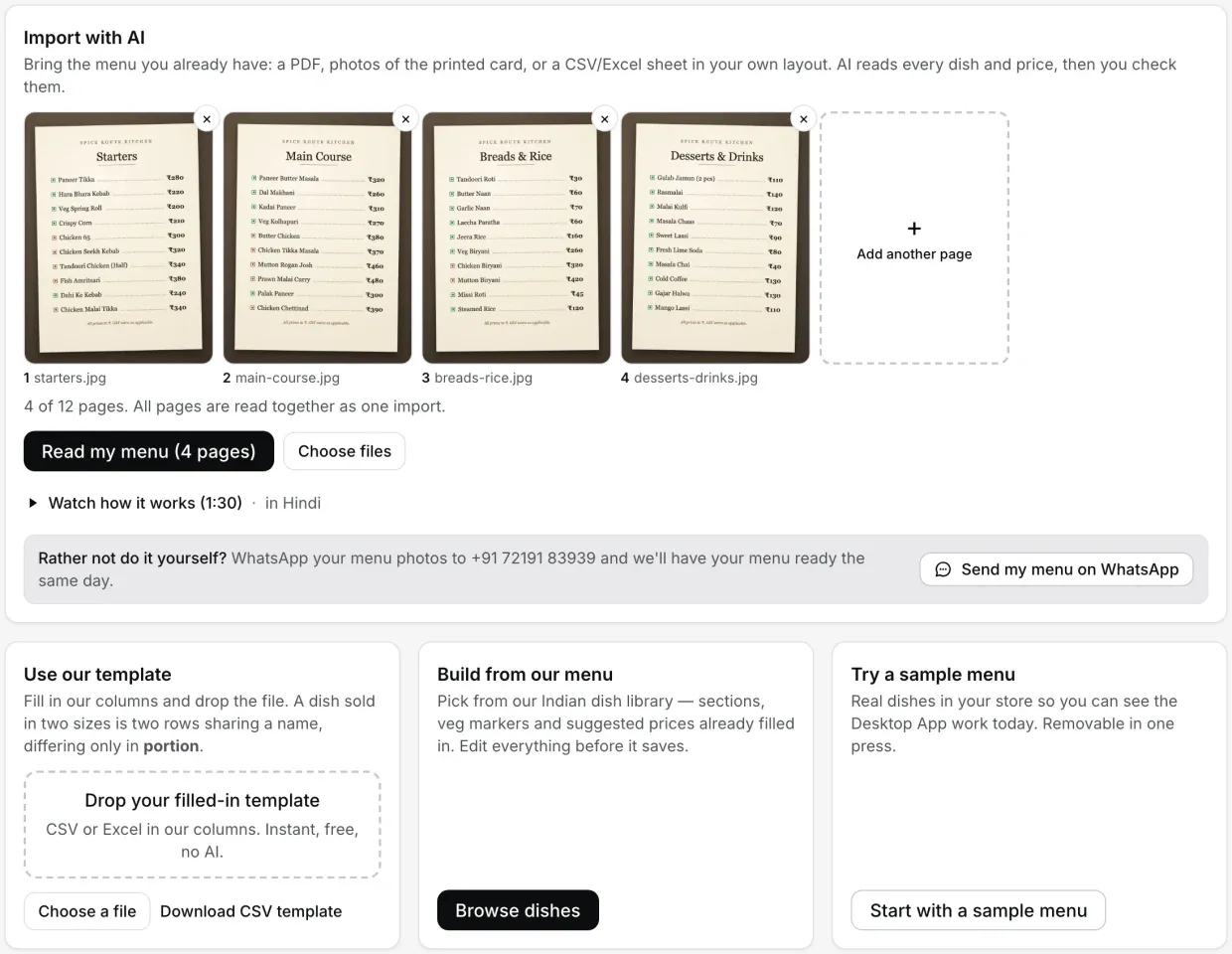
IncludedUpload a PDF or photo of your printed menu. AI creates a draft; review each item, price and veg mark before approving it into the menu. Or use the master menu as a starting point.
IncludedThe chai price is your stall's own. Ours is printed here: ₹299 + GST a month, no setup fee or AMC.
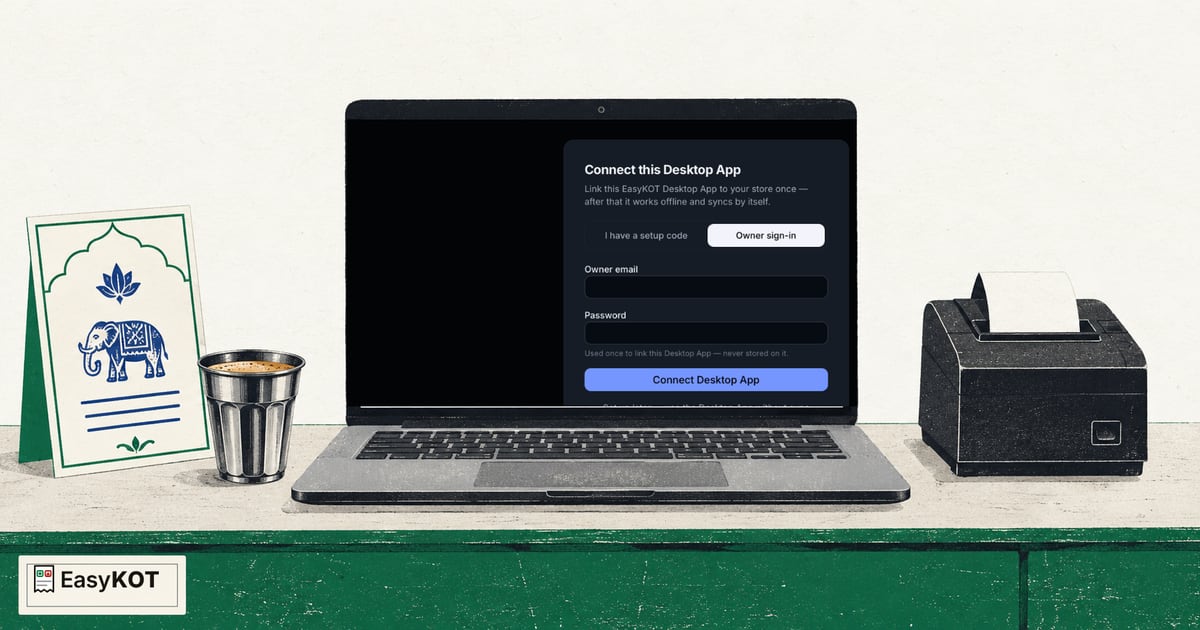
A previously configured Desktop App saves orders and bills locally during an internet outage. Printing needs its configured printer connection and power. Local waiter-phone delivery needs the configured desktop hub and local network to stay available. Pending data syncs to the dashboard when internet returns. Check in online at least once every 30 days.
What to do when internet drops mid-rush →
This is an illustration, with no real printer or payment. An order saved on a device and an order delivered to the kitchen have separate statuses; check the print queue.
Take table orders, send KOTs, make bills and close the cash shift. The phone does not include every desktop feature, but it can handle daily orders and billing when you want to start without a laptop.
Android phones print to Bluetooth and Wi-Fi printers; USB printers connect to the Desktop App. The iPhone build is not in the App Store yet. The phone's basic Kitchen screen shows open tickets, Done and a Prep list; station filters and All day are on desktop KDS.
These are real screenshots from the Desktop App and owner dashboard.
Upload your menu as PDFs or photos, up to 12 pages in one go. AI reads the dishes, portions (Half/Full) and prices. Review the grid, then save: nothing goes live until you approve it. In a hurry? On Get started, under Other ways in, pick "Load a sample menu to try the Desktop App today" and practise on the Desktop App the same day.
Your whole menu on one screen, with veg and non-veg marks, however many dishes you have (this demo has 212). Choose an item, select Half or Full and add a note such as "less spicy". Fire KOT sends the ticket to the configured kitchen printer; check the print result in the queue. Verify the payment in your merchant app or bank, then record Cash, UPI or Card. Part payments are supported; the dialog calculates cash change.
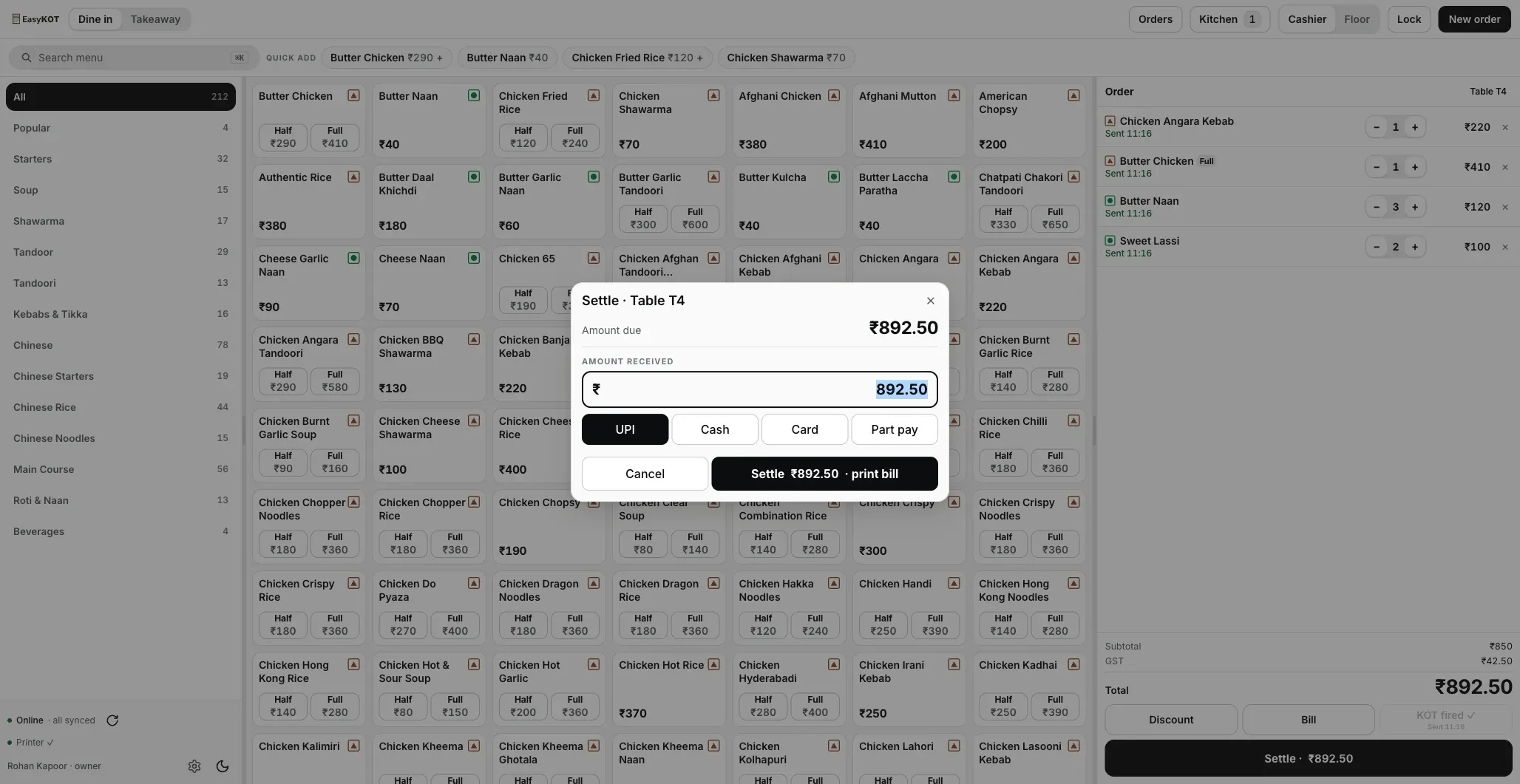
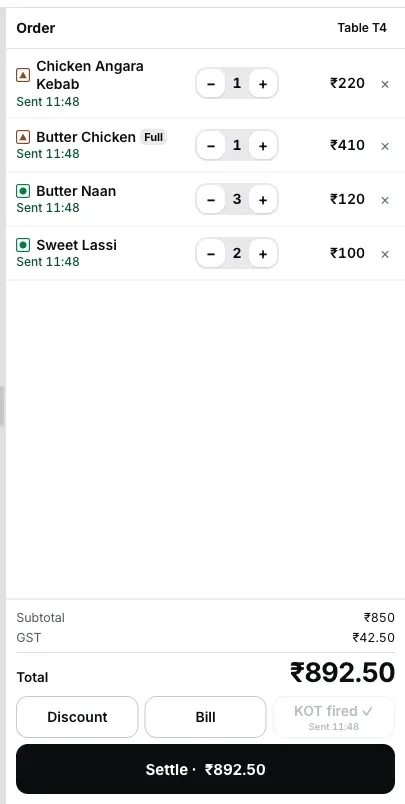
More items for Table T4? Fire KOT again: the next KOT contains only the new items. The cart shows when items were sent. If printing fails or the status is unclear, check the queue and kitchen before resending. The same ticket runs on the kitchen display with a timer; the chef bumps it once it's plated.
Day close shows the GST document report for your CA. On your phone, the owner dashboard shows yesterday's net sales, orders and average bill; today's cards add open checks, latest orders, top sellers, payment mix and expenses.
Your compatible printer, from a laptop or Android phone. The Desktop App supports network, USB, serial and Bluetooth paths. An Android phone can print KOTs and bills to a Bluetooth or Wi-Fi/network printer. Test every model and connection before live use.
Follow the full setup from account to first printed bill, or pick the short lesson you need. Every video is available in English and Hindi.
Watch the full setup in order: account, menu, Desktop App, owner and Captain phones, another counter, USB printer, KOT and bill.
Read the step-by-step guide →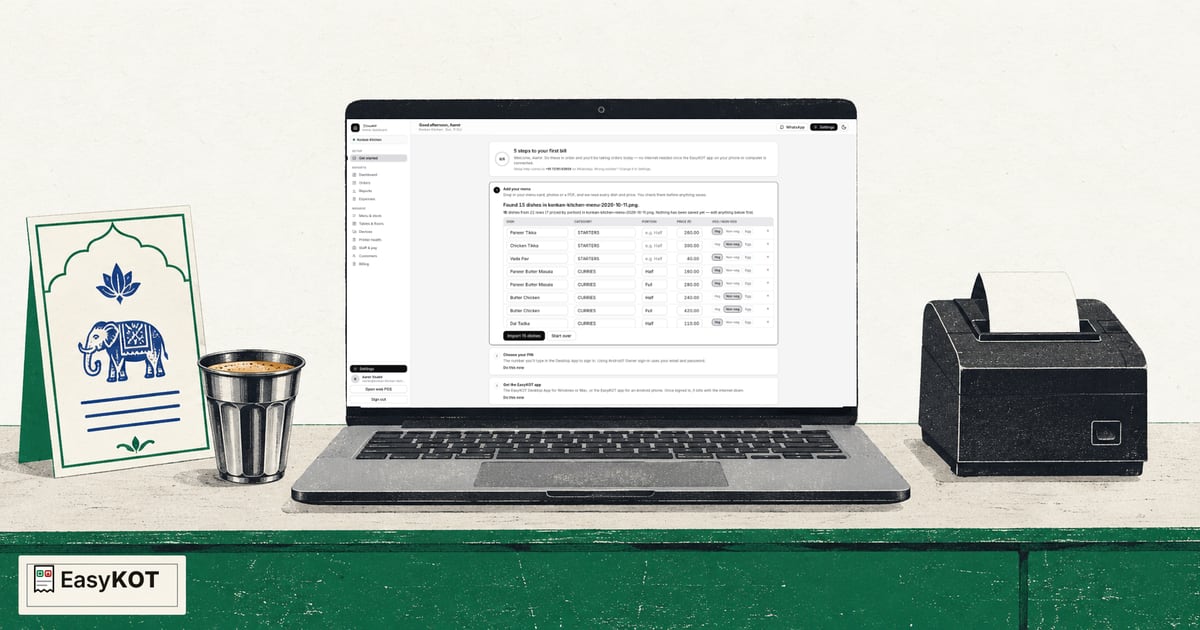
Enter your subscription, setup, AMC and add-on costs. The starting amounts are an example, not a verified quote for another product.
Prices before GST on both sides. EasyKOT yearly software plan: ₹2,990 + GST. The 3-month trial is separate. Device and printer purchases are not included in this software price.
The first 3 months are free. After that choose pay once or AutoPay. Within one outlet there is no per-bill, per-KOT or staff-phone software charge. The full bill, the receipt and every question →
You pay nothing today. The paid month starts after the free 3 months; Billing shows the trial days left and end date.
₹0 today. The paid year starts after the free 3 months; the annual saving is separate from the trial.
Use your supported Windows or Mac laptop, or an Android phone, with a compatible ESC/POS printer. Laptops support network, USB, serial and Bluetooth paths; Android supports paired Bluetooth and Wi-Fi printers. Run a test print with your setup. Subscription prices exclude 18% GST. The total including GST is shown before payment.
Use the 3-month trial to check the menu, printer and staff workflow with test orders. When you start live sales, avoid recording the same sale in two systems.
Upload your menu PDF or photo. Check prices, portions and veg marks, then save. Import needs internet.
Connect a compatible printer. After the test page, check a test order's KOT and bill layout. Practise ordering, payment recording and settlement with your staff.
Once setup works, choose a date for live billing. Select a plan if you want to continue after the trial. Starting the trial does not require a card.
Three months free, full product, no card. Made in India, for the counter: built inside a running restaurant.
Download the EasyKOT Desktop App for Windows or Mac. Get EasyKOT Captain for Android from Google Play. See downloads →