Parcel billing — a counter's flow, not a table's.
Half of India's restaurant business walks out in a bag. The EasyKOT Desktop App treats that as a first-class flow, not a workaround: one toggle, no fake tables, a KOT the kitchen reads as "pack it", and a counter strip that keeps thirty parcels from drowning your floor plan on a Friday night.
Ring a parcel right now in the live demo: flip the toggle and fire.
Toggle to packed-and-paid — three steps.
Flip the header toggle to Takeaway
The Dine in / Takeaway switch lives permanently in the Desktop App's top bar: what owners call a parcel, the button calls Takeaway; same thing. Tap it before ringing and the next check opens as a parcel with no table attached. Realised mid-order that the 'table' is actually going home? The same toggle retypes the open check on the spot, and any table it held frees up instantly.

Step 1: one toggle in the header; parcels never touch a table.
Ring and fire — the kitchen knows it's a parcel
The cart works exactly as it does for a table: dishes, portions, notes, Fire KOT. The difference is on the kitchen's side: the ticket carries TAKEAWAY in plain letters and leads with its KOT number instead of a table name, so the chef packs it instead of plating it. No parallel system, no second screen: parcels and tables share one kitchen board, clearly labelled.
Settle whenever your counter settles
Pay-at-pickup or pay-first is your policy, not the software's: nothing forces payment before the kitchen starts. A pay-first counter should flip one setting ('Clear kitchen tickets when a bill is settled' off, in Settings → Billing & service) so a paid parcel's ticket stays on the kitchen board until it's actually packed and bumped. The settle itself is the standard sheet: change math, UPI, part pay and all.
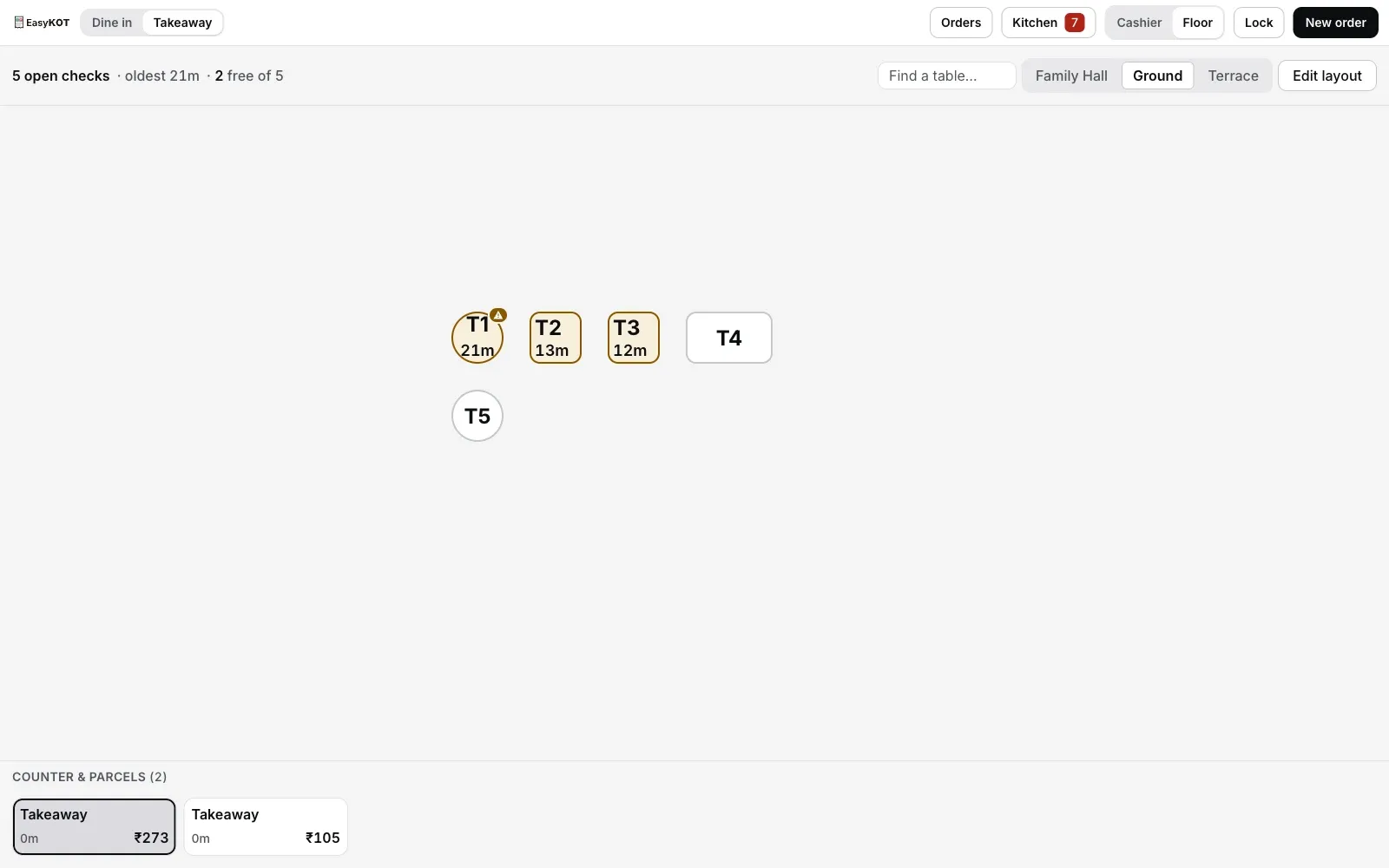
Step 3: parcels live in their own strip; the hall view stays the hall view.
Straight answers.
Do parcels get their own bill numbers?
Where do parcels show up if they have no table?
Do Zomato/Swiggy orders land in this too?
Can I put the customer's name on a parcel?
Can the waiter's phone ring a parcel too?
Does any of this need the internet?
The counter, end to end.
Settling & payments
The ₹2000-note change math and part pay, where every parcel ends.
See the settle guide →Kitchen screen setup
The board that reads TAKEAWAY, and the clear-on-settle policy toggle explained.
Set up the KDS →A whole day on one phone
The pure-counter shop: parcels, KOTs and the cash box with no laptop at all.
See the phone-only day →Every guide in this cluster is listed on the guides hub.
Run it 3 months, then pay for it.
Three months free, full product, no card. Made in India, for the counter: built inside a running restaurant.