Settle without a calculator — the EasyKOT Desktop App does the change math.
Payment is where a Desktop App gets tested: a queue, a large note or a guest paying only part of the bill. Type what the guest handed over and the Desktop App shows the change, asks why a payment is short or keeps a named balance open. Verify UPI in your own merchant or bank app before marking it as UPI.
Try it right now: the live demo runs the real Desktop App: ring anything up and type ₹500 at the settle.
Type the amount, pick the tender, done — three steps.
Press Settle
The sheet opens with 'Amount received' prefilled to the balance due. If the guest pays exactly, check it and confirm. Tap the field and type a different amount when needed.
Type what the guest handed over
For a ₹430.50 bill paid with ₹500, type 500. The green panel reads 'Return ₹69.50 to customer'. The sale remains ₹430.50; the ₹500 tender and ₹69.50 change stay on the payment record.
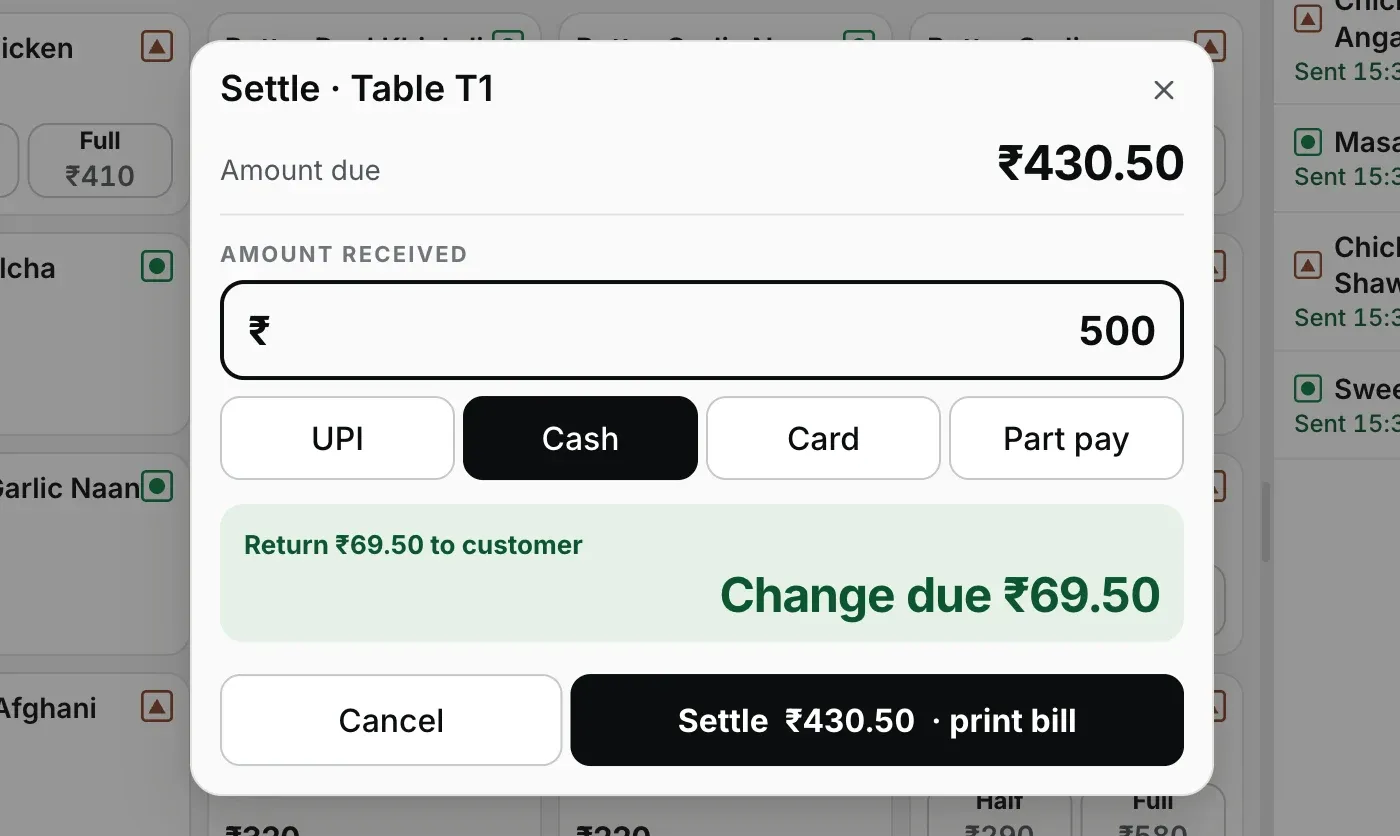
Step 2: type what was handed over; the change to return is on screen before the drawer opens.
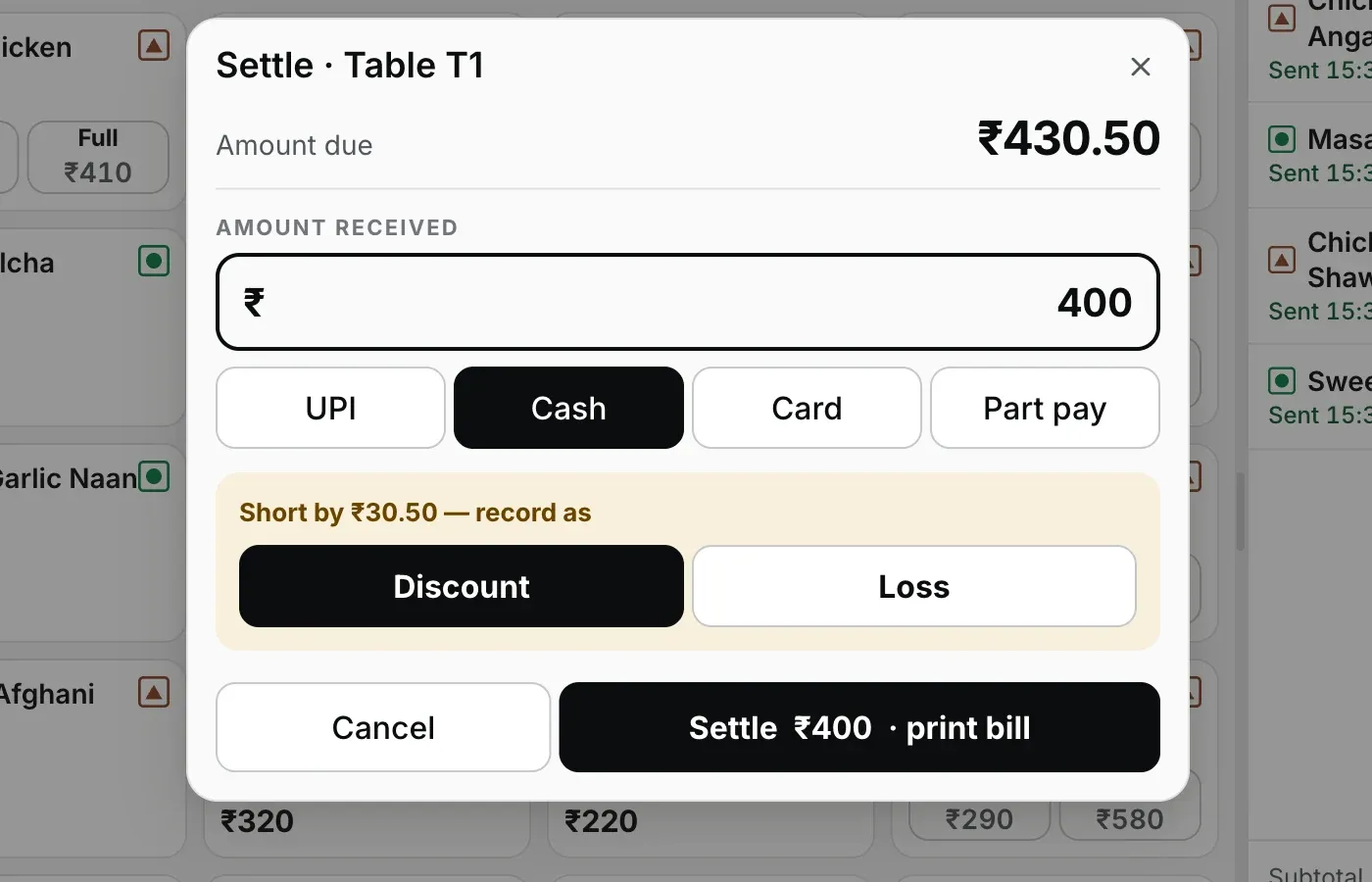
Paid less? The Desktop App makes the gap a decision (discount or loss), never a mystery.
Pick Cash, UPI or Card, then confirm
Cash means cash received at the counter. Select UPI only after the credit appears in your merchant or bank app. Select Card after the separate card terminal has approved it. The button says what happens next, such as 'Settle ₹436.50 · print bill'. For a short amount, choose Discount, Loss or Part pay.
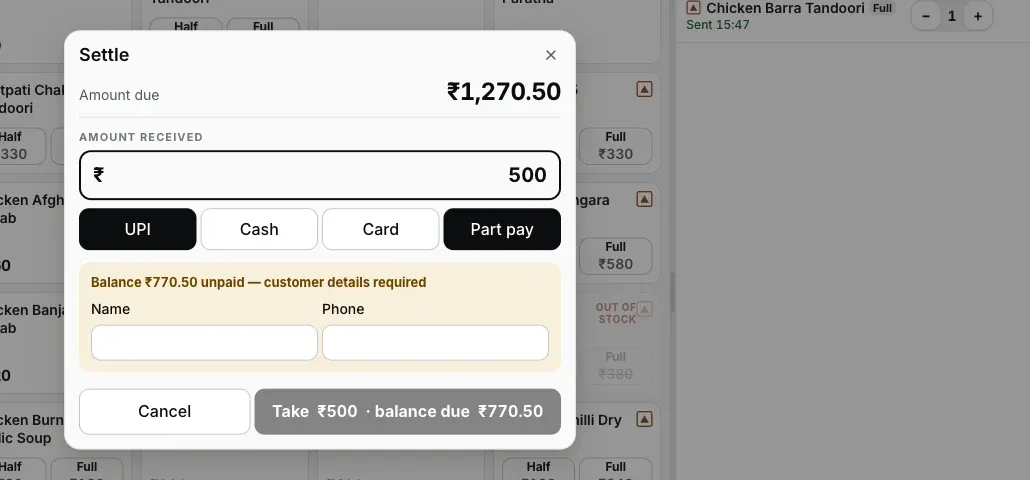
Step 3: part pay takes what's offered, keeps the check open, and puts a name on the balance.
Four endings, and every one lands on the books right.
- Exact: the prefilled amount, one confirm. Receipt queues, drawer kicks, table frees up.
- Over: the green panel names the change to return. The sale books at the bill amount; the note handed over and the change given ride the payment record. Your day's takings are never inflated by big notes.
- Short: a forced choice, Discount or Loss, typed into the record. The drawer can be short; the story about it cannot be missing.
- Part pay: takes what's offered, keeps the check open with the balance and a customer name and phone against it. No receipt and no drawer until the check truly closes, and the balance can be paid by a different tender.
And if the printer is dead at the settle, the sale still stands because the ledger writes first. A definite failure retries for 5 minutes, then asks for Print or Discard. If bytes may have reached the printer, the job parks immediately and asks It printed or Print again (marked duplicate). The printer troubleshooting guide covers getting it back.
Straight answers.
The guest hands over ₹2000 for a ₹1,436.50 bill — now what?
What if the guest pays less than the bill?
Can a table pay half now and half later?
How does UPI work — does the Desktop App verify the payment?
Do you support card machines?
What about the odd paise — does it round?
Does settling need the internet?
Around the settle.
Your first GST bill
What prints after the settle: the invoice number, CGST and SGST, and where the rate comes from.
See the billing walkthrough →Discounts, voids & refunds
The money keys that need a reason, and the manager PIN that signs them.
See the money controls →Closing the day
Part-paid checks and strays at midnight: how the Desktop App sorts the leftovers.
Close the day →Every guide in this cluster is listed on the guides hub.
Run it 3 months, then pay for it.
Three months free, full product, no card. Made in India, for the counter: built inside a running restaurant.