macOS is blocking local network
macOS asks once whether EasyKOT may talk to devices on your network. If someone pressed Don't Allow at that moment, every printer looks dead from then on: the internet still works, sync still works, and only the packets that would reach your own shop's printers are dropped. It is one switch to turn back on.
Whatever the printer does, the sale is already saved: the Desktop App writes the bill to its own database first and queues the paper second. The full symptom table covers the rest.
A privacy prompt was answered no, months ago, by whoever set the Mac up.
- The Local Network prompt was refused. macOS asks each app once, with the reason the app supplies: EasyKOT's is “EasyKOT finds and prints to receipt and kitchen printers on your network, and links Desktop Apps in the same store.” A Don't Allow there is permanent until the switch is changed by hand.
- It looks exactly like a dead printer. The refusal is enforced below the app: every connection to a local address fails as unreachable, so Detect finds nothing, a typed IP does nothing, and the printer sits there working perfectly. This is what makes it worth naming rather than leaving to elimination.
Do this first.
Open System Settings → Privacy & Security → Local Network
The Apple menu, then System Settings, then Privacy & Security in the sidebar, then Local Network. It is a plain list of every app that has asked, each with a switch.
Switch EasyKOT on
One toggle. macOS applies it immediately: there is no restart and no confirmation dialog. If EasyKOT is not in the list, quit and reopen the EasyKOT Desktop App so it attempts the network once, then look again.
Retry from the Desktop App
Press Test connection on the printer's row in Settings → Printers & KDS, or Retry now on a waiting ticket. A ticket fired in the last 5 minutes still finds the printer on its own once the switch is on; choose Print for older tickets still needed.
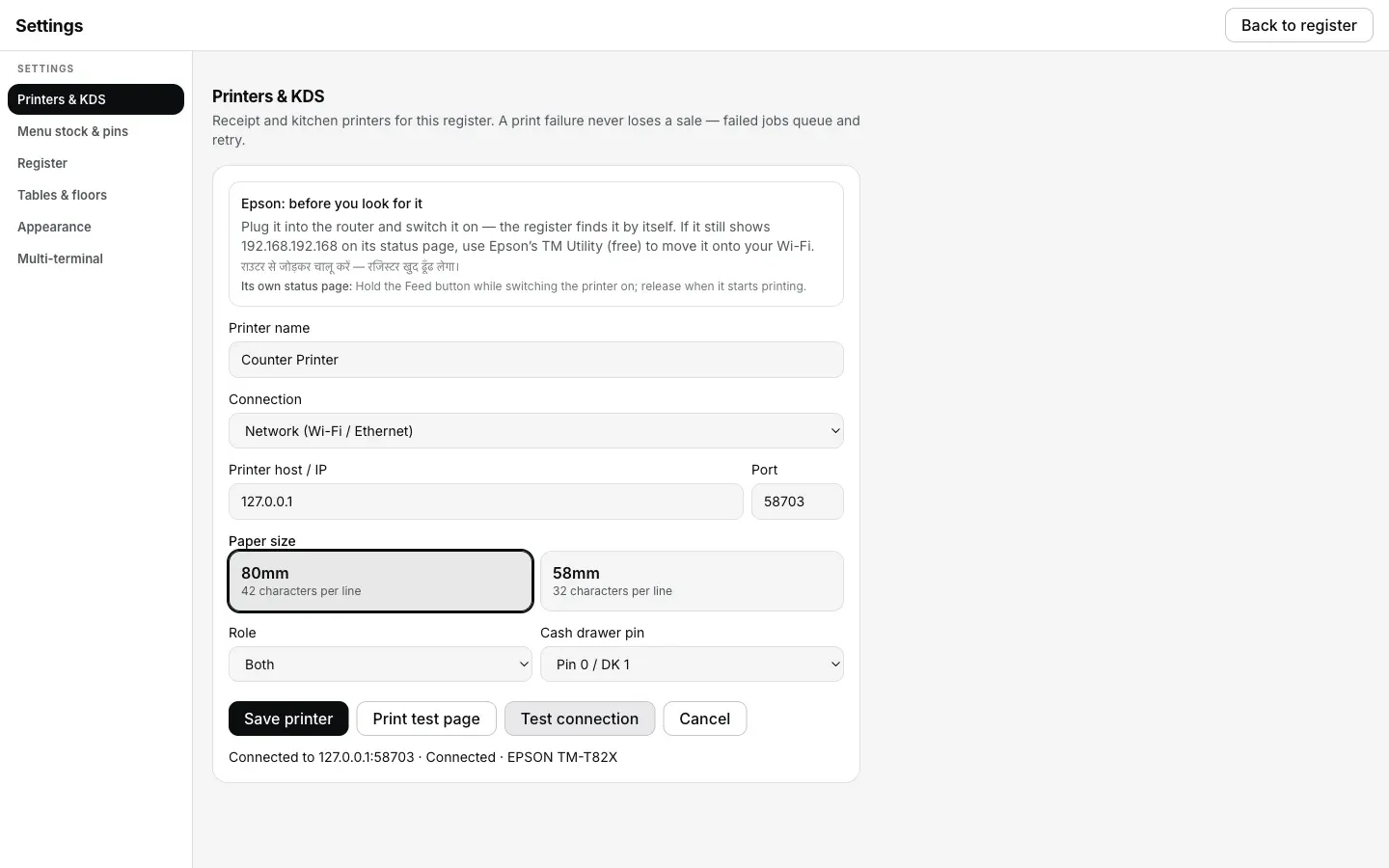
What Test connection reports once macOS's Local Network switch is back on for EasyKOT: the confirmation step 3 asks for.
What the printer's row says.
Every printer you have added has a row in Settings → Printers & KDS, and the row carries its own status in words rather than a green dot. These are the exact words for this one.
- While it is wrong: “macOS is blocking local network”, with the line “System Settings → Privacy & Security → Local Network → allow EasyKOT.” When every network printer has failed this way, the Desktop App also raises a one-time sticky notice titled “macOS may be blocking local network” carrying the same two-click fix: sticky, because the fix is outside the app.
- Once it is fixed: “Connected”. Tickets still inside their 5-minute retry window go out on their own; anything that had already stopped waits for Print on its row.
The Desktop App says “may be” in the notice on purpose. macOS returns the same unreachable error for a refused prompt and for an address that genuinely has no route, so this is a strong hint rather than a certainty: worth checking first on a Mac, and worth ruling out before you go looking at the router.
Printing what was missed.
- Nothing printed, and nothing was lost. Every ticket fired while the switch was off is in the print queue in Settings → Printers & KDS, retrying on its own schedule.
- A fresh ticket finds the printer on its own; an old one needs a tap. Fired in the last 5 minutes when the switch goes on, a ticket still prints itself. Older tickets stopped retrying and sit in Settings → Printers & KDS waiting for Print on the row.
- Reprint by hand if you want the paper now. Reprint last receipt and Reprint last KOT are on the same screen, and failed tickets offer Retry now; older tickets offer Print.
macOS local network — the questions that follow.
I never saw the question — how do I turn it on now?
Why does macOS ask this at all?
Is this the same on an iPhone or iPad?
If that was not it.
Nothing finds it, even by IP
The other invisible blocker: the router refusing to let its own devices talk.
Check the router →Printer is on a different network
Two addresses that were never going to reach each other, whatever the Mac allows.
Compare the networks →Printer shows Offline
The address moved overnight, and what the Desktop App does about that on its own.
Chase the address →Every printer guide is listed on the guides hub.
Run it 3 months, then pay for it.
Three months free, full product, no card. Made in India, for the counter: built inside a running restaurant.