Printer prints blank
Blank slip? Check the thermal paper and roll direction first. Thermal paper prints on one side, but old paper, a dirty print head or a printer fault can cause the same symptom. Scratch both sides, reload the roll and run a test print.
Whatever the printer does, the sale is already saved: the Desktop App writes the bill to its own database first and queues the paper second. The full symptom table covers the rest.
A reversed roll is common, but confirm it with the paper and printer tests.
- The roll is upside down. Thermal paper has a heat-sensitive coating on one face and nothing on the other. Load it with the plain face against the print head and the printer works exactly as designed and produces nothing.
- It usually happens on a reload, mid-rush. If blank slips started immediately after someone changed the paper, check the roll direction first. Then run a test print so the fix is confirmed on paper.
- Occasionally the paper is simply finished. A roll that has sat in a hot kitchen for months goes faint, then blank. That one shows up as faint print first, so if the last few slips were pale, suspect the paper rather than the loading.
Do this first.
Scratch both sides of the paper
Drag a fingernail or coin firmly across each side. A dark line appears on the printable face. If neither side marks, open a fresh roll and repeat the test.
Reload the roll with the marked side facing the print head
On most counter-top thermal printers the paper feeds off the underside of the roll. Also check the paper-path drawing for your model. Close the cover until it clicks; even a slightly open lid can stop printing.
Run a test print from Settings → Printers & KDS
Each printer's row has a Test print key. The slip prints Test print, the selected paper width (80mm · 42 columns, or 58mm · 32), and a row of digits as a width ruler. If the ruler runs off the edge, correct the row's width setting. If fresh paper, this test print and the printer's own self-test are still blank, check the model manual or contact its manufacturer or seller.
What the printer's row says.
Every printer you have added has a row in Settings → Printers & KDS, and the row carries its own status in words rather than a green dot. These are the exact words for this one.
- While it is wrong: Connected. The EasyKOT Desktop App cannot see this one, and does not pretend to: a printer that accepts a job and heats a blank strip has done everything it was asked.
- Once it is fixed: Connected, unchanged. The proof is the slip in your hand, not the screen.
The Desktop App does read the printer's paper sensor, so a roll that has actually run out shows as “Paper out” with printing paused and tickets held in the queue. There is no ESC/POS status for “the roll is in backwards”, so no honest POS can show one.
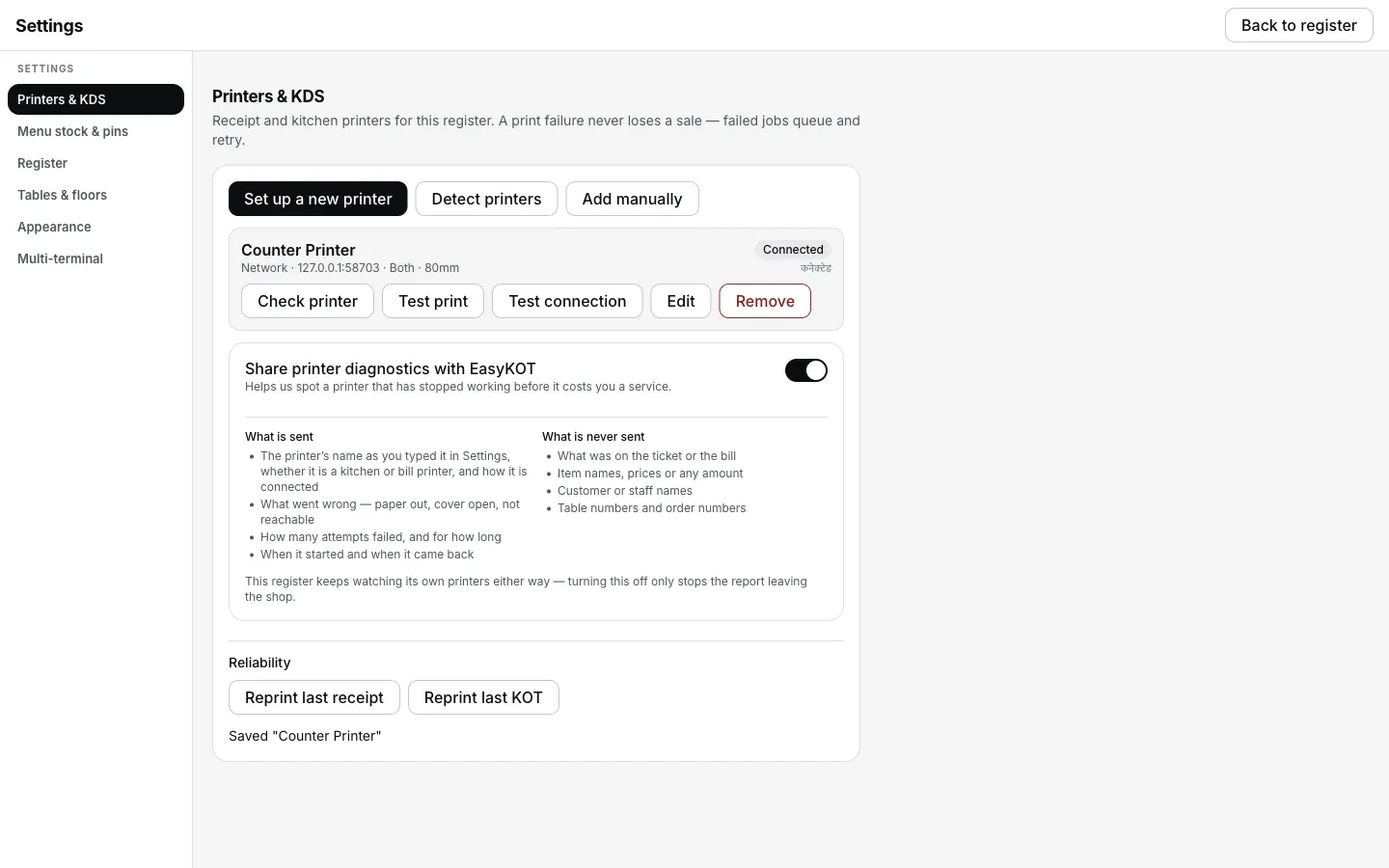
The row reads Connected before, during and after a blank slip: the Desktop App has no way to see paper loaded backwards, so the words on the row never change.
Printing what was missed.
- Nothing failed, so nothing is waiting. As far as the printer was concerned the job printed, so it is marked done and the print queue is empty. You are reprinting by choice, not recovering.
- The last bill and the last KOT are one key each. Settings → Printers & KDS has Reprint last receipt and Reprint last KOT under Reliability. That covers the slip that just came out blank.
- An older bill comes back from Orders. Open the order and press Reprint receipt. The copy keeps the original invoice number and date and carries a DUPLICATE stamp, so two slips can never be read as two sales.
Printer prints blank — the questions that follow.
The roll is the right way round and it is still blank — now what?
Which way does the paper go in a thermal printer?
Does a blank slip mean I lost the bill?
Can EasyKOT warn me before the roll runs out?
If that was not it.
Printer prints garbage or boxes
Something comes out, but not your words: the paper width and the serial speed are the two suspects.
Fix the characters →Nothing comes out at all
Every symptom in one table: the cause, the fix, and whether the Desktop App can see it.
Work through the checks →Connect a thermal printer
Paper width, port 9100, and every field on the printer form, with screenshots.
Set the printer up →Every printer guide is listed on the guides hub.
Run it 3 months, then pay for it.
Three months free, full product, no card. Made in India, for the counter: built inside a running restaurant.